Probe authentication and secrets checklist
When you deploy latency probes to monitor LLM APIs across 21 global regions, your credentials become your weakest link. A single leaked API key can expose your monitoring infrastructure, inflate your provider bills, or worse, compromise the endpoints you're trying to protect. This guide walks you through securing probe authentication from inception to rotation, with a practical checklist you can use immediately.


When you deploy latency probes to monitor LLM APIs across 21 global regions, your credentials become your weakest link. A single leaked API key can expose your monitoring infrastructure, inflate your provider bills, or worse, compromise the endpoints you're trying to protect. This guide walks you through securing probe authentication from inception to rotation, with a practical checklist you can use immediately.
Key takeaway: Implement regional API keys with vault-based storage, automated rotation every 60 days, and comprehensive audit logging to eliminate the most common attack vectors and reduce incident response time if a breach occurs.
TL;DR
- Rotate API keys used by probes every 30–90 days and store them only in encrypted vaults, never in code or version control.
- Use regional service accounts with minimal permissions (read-only probe execution) to limit blast radius if credentials are compromised.
- Enable IP allowlisting on probe API keys whenever your provider supports it; pair with audit logging to catch unauthorized requests.
- Test secret rotation in a staging environment before rolling out to production; a missed rotation is worse than no rotation at all.
- Automate secret retrieval via secure environment injection; manual pasting into config files is a vector for human error and accidental commits.
Why probe secrets matter more than you think
Probes are a unique risk surface. Unlike your main application, which lives behind your firewall and authentication layer, probes run in public cloud infrastructure and call third-party APIs directly. Every probe instance, whether in AWS, GCP, or a dedicated monitoring region, holds a token that can authenticate requests on your behalf.
The consequence is measurable: if a probe credential leaks, an attacker can:
- Spam your provider quota – burn through your monthly request allowance, spiking costs and blocking legitimate traffic.
- Exfiltrate your latency baseline – infer when your users are most active or which models you rely on.
- Inject false latency signals – send garbage requests that pollute your monitoring data and mask real outages.
- Pivot into your account – use the leaked key to escalate privileges or access other endpoints if the provider does not enforce strict scoping.
Build your authentication architecture
Before deploying a single probe, define how credentials will flow into your monitoring environment. A typical architecture looks like this:
- Vault (source of truth): HashiCorp Vault, AWS Secrets Manager, or Azure Key Vault holds the master copy of all API keys.
- Automated retrieval: A sidecar, init container, or Lambda function fetches secrets at probe startup and injects them as environment variables.
- Audit trail: Every secret access is logged with timestamp, requester, and outcome. Unused secrets trigger alerts.
- Rotation trigger: A scheduled job rotates keys on a fixed cadence (30–90 days) and automatically updates the vault.
Regional scoping and least privilege
If you run probes in 21 regions, create separate API keys for each region rather than sharing a global key. This approach has two benefits:
- Blast radius: If a regional key leaks, you can revoke it without affecting probes in other regions or your main application.
- Audit clarity: You can see exactly which region initiated a request, making forensics faster during an incident.
When Observinio probes run from a region, say, Frankfurt or Sydney, they authenticate using a credential scoped to that geography. If Frankfurt's key is compromised, you disable it immediately; Sydney probes keep running unaffected.
Practical authentication setup
Step-by-step probe credential deployment
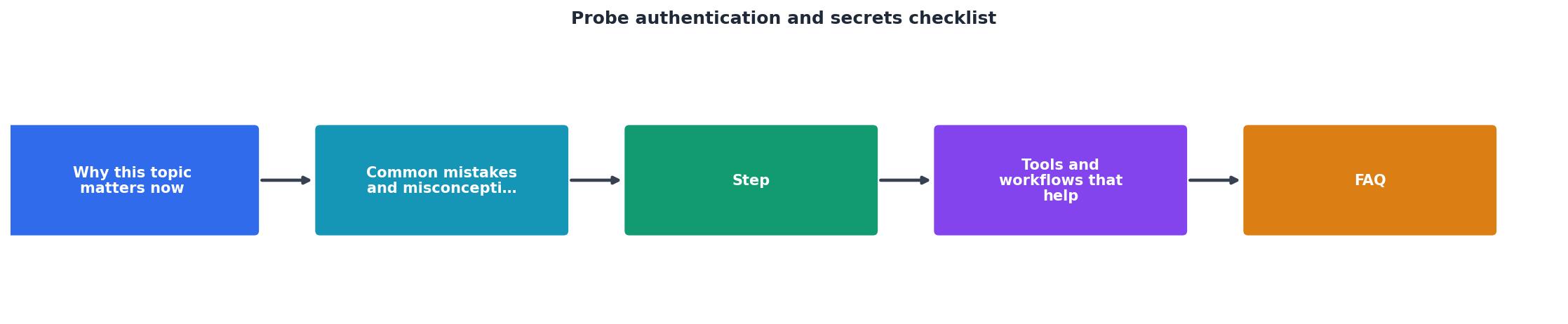
Step 1: Create provider-specific API keys
Log into OpenRouter or OpenAI dashboard and generate new API keys with these properties:
- Name:
observinio-probe-[REGION]-[DATE](e.g.,observinio-probe-us-east-1-2025-01) - Permissions: Read-only, probe execution only
- IP allowlist: Restrict to the public IP range of your probe infrastructure (if available)
- Expiry: Set an auto-expiry date 60 days out; this forces rotation before the key dies unexpectedly
Step 2: Store in encrypted vault
Place the key in your vault with metadata:
Path: secret/observinio/probe/openrouter/us-east-1
Value: sk-or-...
Metadata:
  created: 2025-01-15
  expires: 2025-03-15
  region: us-east-1
  provider: openrouter
  last_rotated: 2025-01-15
  environment: production
Set vault policies so only probe pods in that region can retrieve the key. Deny access from your local machine or CI/CD runners unless explicitly escalated.
Step 3: Inject into probe environment
Use your orchestrator's secret injection mechanism:
- Kubernetes: Create a Secret resource; mount it as environment variables in probe Pods.
- Docker Compose: Pull secrets from a
.env.encfile decrypted at runtime via a secret manager agent. - Lambda / Serverless: Retrieve the secret during handler initialization; cache it for the lifetime of the execution context.
apiVersion: v1
kind: Secret
metadata:
name: observinio-probe-credentials
data:
OPENROUTER_API_KEY: <base64-encoded-key>
OPENAI_API_KEY: <base64-encoded-key>
apiVersion: v1
kind: Pod
metadata:
name: observinio-probe-us-east-1
spec:
containers:
- name: probe
env:
- name: OPENROUTER_API_KEY
valueFrom:
secretKeyRef:
name: observinio-probe-credentials
key: OPENROUTER_API_KEY
Step 4: Enable audit logging
Configure your vault and provider account to log all secret accesses:
- Vault audit log: Every API key retrieval must log the timestamp, pod identity, and outcome.
- Provider audit log: Enable API key activity logs in OpenRouter or OpenAI settings. Flag any requests from unexpected IP addresses or at unusual times.
Step 5: Automate rotation
Schedule a job to rotate keys on a 60-day cycle:
- Generate a new API key with the same metadata (region, permissions, allowlist).
- Store it in the vault under a temporary staging path.
- Update the vault secret reference to point to the new key.
- Wait 5 minutes for probe sidecars to pick up the change and refresh their environment.
- Delete the old key from the provider account.
- Log the rotation event to your audit trail.
# Pseudo-code rotation job
vault kv get secret/observinio/probe/openrouter/us-east-1 | check_expiry
if expired_soon:
  new_key = openrouter.generate_api_key(region="us-east-1", expiry_days=60)
  vault kv put secret/observinio/probe/openrouter/us-east-1 value=new_key
  wait 300  # seconds for probes to refresh
  openrouter.revoke_api_key(old_key_id)
  log "Rotated openrouter key for us-east-1"
Common pitfalls and how to avoid them
Pitfall 1: Sharing a single global key across all regions
This concentrates risk. If the key leaks, attackers can trigger requests from all regions, amplifying the attack surface. Use regional keys instead.
Pitfall 2: Storing secrets in probe configuration files
A config file committed to Git, even to a private repo, is a liability. Encrypted or not, it encourages secret reuse and makes rotation tedious. Use environment injection exclusively.
Pitfall 3: Forgetting to rotate until the key expires
Set a calendar reminder 10 days before expiry. Better yet, use Observinio email alerts to notify you when a probe's credential age exceeds a threshold (e.g., 50 days).
Pitfall 4: Testing rotation only in production
Always practice rotation in a staging environment first. A mistake during production rotation can disable all probes in a region and blind you to real outages.
Pitfall 5: Omitting audit logs
Without logs, you cannot prove whether a billing spike came from an attack or legitimate usage. Audit logs are non-negotiable for compliance and forensics.
Probe authentication checklist
Use this list during deployment and quarterly reviews:
Your progress is saved automatically in your browser.
"The SSID value can also be set to 0 (ie SSID field is present, but empty).">, CWAP 802.11
FAQ
Frequently Asked Questions
Keep monitoring secure, keep probes reliable
Probe credentials are the linchpin of latency monitoring. A stolen key can spike your costs and blind your observability in minutes. By implementing regional keys, vault-based storage, automated rotation, and audit logging, you eliminate the most common attack vectors and reduce incident response time if a breach does occur.
Observinio probes are designed with these principles built in: credentials are managed securely across 21 regions, rotated on schedule, and tracked via comprehensive audit logs. If you're building your own probe infrastructure, follow this checklist and revisit it quarterly. Secure probes are reliable probes.
Additional Resources
- CWAP 802.11- Probe Request/Response - Comprehensive guide to 802.11 Probe Request and Response frames, including all information elements defined in IEEE 802.11-2012 standards.
- NIST Special Publication 800-63B - Authentication and Lifecycle Management guidelines covering verification of secrets, federation, and assertion presentation for secure systems.
- WebAuthn/FIDO2 Readiness Checklist - Step-by-step integration checklist for WebAuthn and FIDO2 authentication to ensure proper implementation of passwordless authentication mechanisms.
Monitor AI API latency from 22 regions
Observinio runs daily probes against OpenRouter and OpenAI endpoints and emails you when latency degrades.
Set up alerts