Incident runbook when OpenAI degrades in one region (after major version upgrades)
Major version upgrades to OpenAI models, think the jump from gpt-4-0613 to gpt-4-turbo or from gpt-4o to a new dated snapshot, regularly shift latency profiles in unpredictable ways. The change is rarely uniform: one Azure region may absorb the new weights on fresh hardware while another region queues requests behind a rolling deployment that is still draining old pods. If your production traffic routes through that slower region, your users feel it before any status page turns yellow.

Photo by Daigoro Folz from Pexels
Major version upgrades to OpenAI models, think the jump from gpt-4-0613 to gpt-4-turbo or from gpt-4o to a new dated snapshot, regularly shift latency profiles in unpredictable ways. The change is rarely uniform: one Azure region may absorb the new weights on fresh hardware while another region queues requests behind a rolling deployment that is still draining old pods. If your production traffic routes through that slower region, your users feel it before any status page turns yellow.
This runbook gives you a repeatable, step-by-step process for detecting, triaging, and mitigating single-region OpenAI degradations that coincide with major model version rollouts. Follow it during an incident or use it as a drill template for your on-call team.
TL;DR
- Major OpenAI model upgrades often cause asymmetric latency spikes, one or two regions degrade while others stay normal.
- Detect the issue early by comparing per-region TTFB and TTFT baselines, not global averages.
- The runbook covers five phases: detect, confirm scope, mitigate, communicate, and post-incident review.
- Automated regional probes (like Observinio's 21-region checks) cut detection time from hours to minutes.
- Always update your routing logic before the next upgrade window, not during the incident.
Why major version upgrades cause regional degradation

OpenAI serves inference from multiple Azure data centers. When a new model version ships, the rollout is staged, not atomic. During the transition window several things happen simultaneously:
- Weight distribution lag. New model weights must be copied to GPU clusters in each region. Regions closer to the primary training cluster often receive weights first.
- Capacity rebalancing. Some regions temporarily run both old and new model versions, splitting available GPU capacity. Throughput per request can drop by 30–50 % during this window.
- Routing table updates. OpenAI's internal load balancer may still send traffic to a region that has not finished its rollout, resulting in queued requests and elevated time-to-first-byte (TTFB).
- Cache invalidation. KV-cache warm-up for the new model version starts from scratch, so the first wave of requests in each region pays a cold-start penalty.
eastus2 might show a p95 TTFB of 1.8 s while westeurope sits at its normal 0.6 s. If your monitoring only tracks a global aggregate, you see a modest bump, maybe 0.9 s, and dismiss it. Meanwhile, every user routed through the degraded region experiences three-second completions.
Phase 1, Detect the degradation

Detection speed determines incident severity. The goal is to move from "something feels slow" to "region X is degraded" in under five minutes.
Detection checklist
- Check your regional probe dashboard. If you use Observinio, open the status page and filter by provider (OpenAI direct or OpenRouter). Look for any region where current TTFB exceeds the 7-day baseline by more than 2×.
- Correlate with the model changelog. Visit OpenAI's model deprecation and release notes. If a new dated snapshot shipped in the last 48 hours, the degradation is likely upgrade-related.
- Verify with a manual probe. Run a lightweight completion request from the suspected region (or from a VM in that region) and record the wall-clock time:
curl -w "\n\nTTFB: %{time_starttransfer}s | Total: %{time_total}s\n" \
  -X POST https://api.openai.com/v1/chat/completions \
  -H "Authorization: Bearer $OPENAI_API_KEY" \
  -H "Content-Type: application/json" \
  -d '{
    "model": "gpt-4o",
    "messages": [{"role":"user","content":"Say hello."}],
    "max_tokens": 5
  }'
- Compare at least three regions. A single slow response is noise. Three consecutive slow responses from the same region, while other regions return normal times, confirm a regional issue.
- Open an incident channel. Once confirmed, declare the incident in your team's Slack/Teams channel and assign an incident commander.
"Our current estimates put monitoring overhead at roughly 20% of the inference compute being monitored, though the cost varies substantially across training and evaluation workloads.">, Pacing model development in an era of cyber
This overhead context matters: if you are running your own evaluation probes alongside production traffic, factor in the additional load when interpreting latency numbers during an incident.
Phase 2, Confirm scope and severity
Before you start mitigating, spend two minutes scoping the blast radius. Answer these questions:
- Which models are affected? The upgrade may only touch one model family. Test
gpt-4o,gpt-4o-mini, and any other models you use in production separately. - Is it TTFB, throughput, or both? A TTFB spike with normal tokens-per-second suggests queuing. A throughput drop with normal TTFB suggests the new model version is computationally heavier.
- How many of your users are impacted? Cross-reference the degraded region with your traffic routing logs. If 80 % of your European users hit
westeuropeand that is the degraded region, severity is high. - Is the provider acknowledging it? Check the OpenAI status page and Twitter/X. Absence of acknowledgment does not mean absence of a problem, regional issues often fly under the provider's public radar.
Severity matrix
| Signal | Low | Medium | High |
|---|---|---|---|
| TTFB increase vs baseline | < 1.5× | 1.5×–3× | > 3× |
| Affected user percentage | < 10 % | 10–40 % | > 40 % |
| Duration so far | < 15 min | 15–60 min | > 60 min |
| Provider acknowledgment | Yes, ETA given | Yes, no ETA | No acknowledgment |
Phase 3, Mitigate
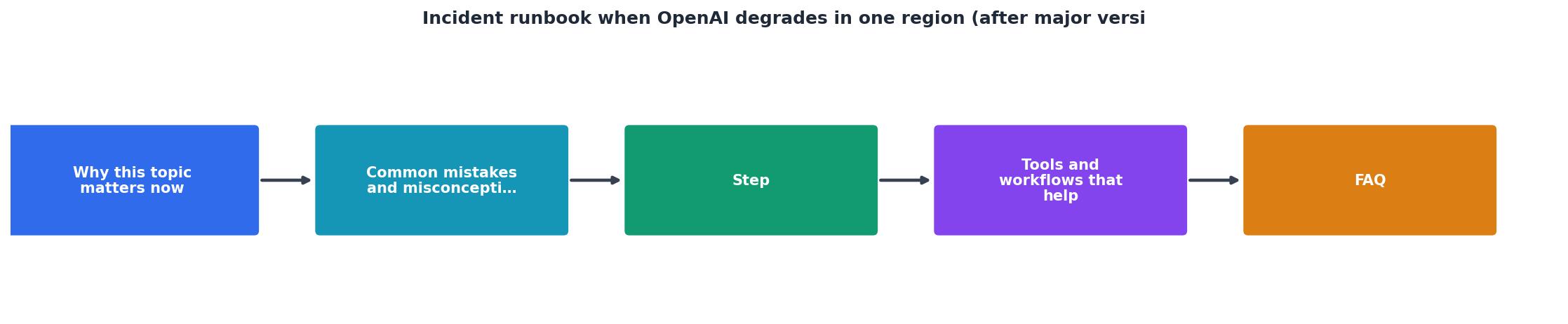
Mitigation depends on your architecture. Below are the most common levers, ordered from fastest to deploy to most impactful.
Step-by-step mitigation
- Shift traffic away from the degraded region. If you control routing (e.g., via Azure API Management, a custom gateway, or OpenRouter's region preferences), remove the degraded region from the active pool. This is the single fastest fix, often achievable in under a minute with a config change or feature flag.
- Fall back to the previous model version. If the new dated snapshot is the culprit and the old version is still available, pin your requests to the previous version string (e.g.,
gpt-4o-2024-05-13instead ofgpt-4o). Test a handful of requests to confirm the old version still routes correctly.
- Enable request hedging. If your gateway supports it, send duplicate requests to two regions and use whichever responds first. This doubles cost but halves tail latency during the incident. Only use this for high-severity situations.
- Reduce max_tokens and prompt length. Shorter requests complete faster even on degraded infrastructure. If your application can tolerate truncated outputs temporarily, lower
max_tokensby 30–50 %.
- Switch providers via OpenRouter. If you access OpenAI models through OpenRouter, you may be able to route to an alternative provider serving the same model family. Check Observinio's provider comparison to see which alternative has the lowest current latency.
- Queue non-critical requests. Batch jobs, summarization pipelines, and other latency-tolerant workloads should be paused or queued until the region recovers. Prioritize interactive, user-facing completions.
Phase 4, Communicate

Stakeholders need updates even when the root cause is outside your infrastructure. Use this communication template:
Internal update template
INCIDENT: OpenAI regional degradation, [REGION]
STATUS: [Investigating | Mitigating | Resolved]
IMPACT: ~[X]% of [product feature] users experiencing [Y]s slower responses
CAUSE: Suspected model version rollout ([old version] → [new version])
MITIGATION: Traffic shifted to [alternative region/provider]
NEXT UPDATE: [time]
Post updates every 15 minutes for high severity, every 30 minutes for medium. Even a "no change" update is better than silence.
External communication
If you maintain a public status page, post a notice that references the upstream provider without speculating on their internal operations. Example: "We are observing elevated response times for AI-powered features in the EU region due to upstream provider latency. We have rerouted traffic and response times are recovering."
Phase 5, Post-incident review
Once the region recovers (TTFB returns to within 1.2× of baseline for 30 consecutive minutes), close the incident and schedule a review within 48 hours. The review should answer:
- Detection latency: How many minutes elapsed between the start of degradation and the first alert? If it was more than five minutes, your monitoring has a gap.
- Mitigation effectiveness: Did the traffic shift actually reduce user-facing latency? Pull before/after TTFB charts from your monitoring tool.
- Upgrade correlation: Was the degradation definitively tied to the model version rollout, or was it coincidental? Check whether latency normalized after the rollout completed in that region.
- Runbook gaps: Did the on-call engineer have to improvise any steps? If so, add those steps to this runbook.
Post-incident action items (template)
Your progress is saved automatically in your browser.
Proactive measures for the next upgrade
Do not wait for the next incident. Between upgrades, invest in these defenses:
- Baseline every region weekly. Observinio's weekly summary emails give you a per-region TTFB and TTFT baseline. Archive them so you have historical context during the next incident.
- Automate region failover. Your API gateway should support health-check-based routing. Configure it to pull a region out of rotation when TTFB exceeds a threshold for three consecutive probes.
- Test new model versions in a canary region first. When OpenAI announces a new snapshot, route 5 % of traffic to it in a single region and monitor for 24 hours before rolling out globally.
- Maintain a provider fallback matrix. Document which alternative providers can serve equivalent models, what their current latency looks like (check the Observinio status page), and how to switch in under two minutes.
Key takeaway: Regional degradations after major OpenAI model upgrades are inevitable, but their user impact is not. Teams that maintain per-region baselines, automate failover routing, and rehearse this runbook can reduce incident duration from hours to single-digit minutes.
⚡ Quick severity reference
| Signal | Low | Medium | High |
|---|---|---|---|
| TTFB increase vs baseline | < 1.5× | 1.5×–3× | > 3× |
| Affected user percentage | < 10 % | 10–40 % | > 40 % |
| Duration so far | < 15 min | 15–60 min | > 60 min |
| Provider acknowledgment | Yes, ETA given | Yes, no ETA | No acknowledgment |
Frequently Asked Questions
gpt-4o-2024-08-06) instead of the rolling alias (gpt-4o) gives you control over when you adopt a new version. You can test the new snapshot in a canary setup, verify latency across regions, and then update your pinned version deliberately. The tradeoff is that you must actively track deprecation dates and migrate before the old version is retired.Stay ahead of the next degradation
Regional latency spikes after OpenAI model upgrades are not a matter of if but when. The difference between a five-minute blip and a two-hour outage is detection speed and a practiced runbook. Observinio's daily multi-region probes and degradation alerts give your on-call team the early warning they need, often before the provider's own status page updates. Set up alerts on the Observinio status page and make this runbook part of your next on-call drill.
Additional Resources
- AOAI availability degradation, Mar 2026 (ID: 8GCS-858) - Between 9-10 March 2026, the Azure platform experienced a service incident (Tracking ID: 8GCS-858) which caused Azure OpenAI availability ...
- Pacing model development in an era of cyber-critical ... - Immediately following the OpenAI-Hugging Face incident*, we paused frontier model inference in research clusters for runs that could execute ...
- OpenAI slows down training of advanced AI after cyber-attack - The ChatGPT-maker said training will be slowed for two weeks while it puts the upgrades in place.
Monitor AI API latency from 22 regions
Observinio runs daily probes against OpenRouter and OpenAI endpoints and emails you when latency degrades.
Set up alerts