OpenAI probe configuration worksheet (after major version upgrades)
Every major OpenAI model version bump, from GPT-3.5 to GPT-4, from GPT-4 to GPT-4o, or from one dated snapshot to the next, can silently shift the latency profile your production stack depends on. New model weights, changed tokenizer behavior, updated rate-limit tiers, and modified endpoint routing all combine to invalidate the baselines you spent weeks establishing. This worksheet gives you a repeatable, step-by-step process for reconfiguring your synthetic probes after every major version upgrade so you catch regressions before your users do.

Photo by Andrew Neel from Pexels
Every major OpenAI model version bump, from GPT-3.5 to GPT-4, from GPT-4 to GPT-4o, or from one dated snapshot to the next, can silently shift the latency profile your production stack depends on. New model weights, changed tokenizer behavior, updated rate-limit tiers, and modified endpoint routing all combine to invalidate the baselines you spent weeks establishing. This worksheet gives you a repeatable, step-by-step process for reconfiguring your synthetic probes after every major version upgrade so you catch regressions before your users do.
TL;DR
- Major OpenAI version upgrades can change TTFB, TTFT, and throughput baselines across all regions, old probe thresholds become unreliable overnight.
- Use a structured worksheet to audit endpoints, re-record baselines, adjust alert thresholds, and validate probe coverage within 48 hours of an upgrade.
- Run parallel probes against the old and new model versions during the transition window to quantify the actual delta.
- Leverage Observinio's 21-region daily probes to detect region-specific regressions that aggregate dashboards miss.
- Document every reconfiguration cycle so future upgrades take hours, not days.
Why major version upgrades break your existing probes

When OpenAI ships a major version upgrade, the changes go far deeper than model quality. Here is what typically shifts under the hood and why each change matters for your probe configuration:
- Endpoint routing changes. OpenAI may redirect traffic to different data-center clusters. A probe that previously hit an endpoint optimized for
us-easttraffic might now route through a different internal path, adding 20–80 ms of TTFB variance. - Tokenizer updates. A new tokenizer can change the token count for the same prompt text. If your probe sends a fixed prompt and measures tokens-per-second throughput, the denominator changes silently.
- Rate-limit tier adjustments. New model versions sometimes launch with tighter rate limits or different concurrency caps. Probes that ran comfortably at 5 requests per minute may start hitting 429 responses.
- Inference-engine optimizations (or regressions). Quantization changes, speculative decoding toggles, and batch-scheduling updates all affect time-to-first-token (TTFT). A model that streamed its first token in 180 ms might now take 260 ms, or 120 ms.
- Deprecation of old model aliases. If your probes target a model alias like
gpt-4rather than a dated snapshot likegpt-4-0613, the alias silently points to the new version the moment OpenAI flips the switch.
Pre-upgrade preparation checklist
Before the upgrade lands, or as soon as OpenAI announces a new version, complete these preparation steps:
Your progress is saved automatically in your browser.
Step-by-step reconfiguration worksheet
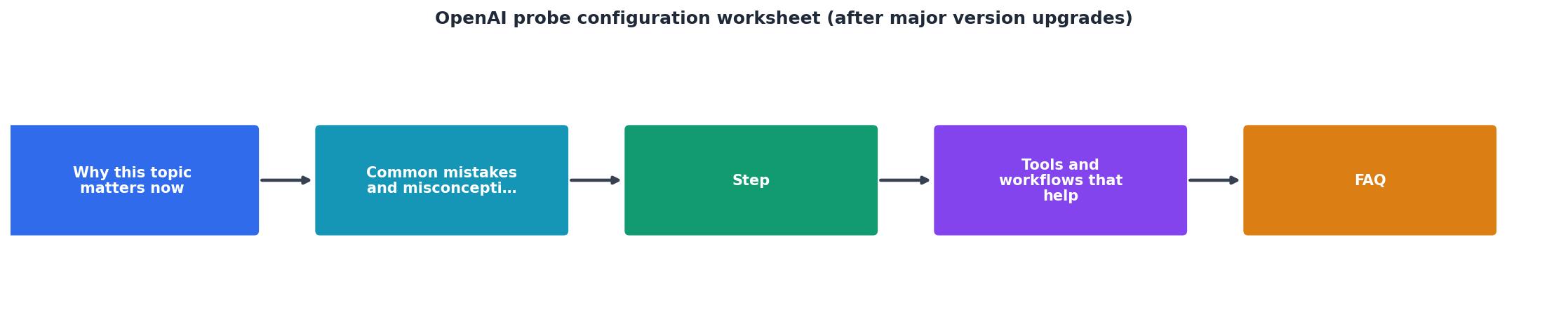
Follow these steps in order within 48 hours of the version upgrade going live.
Step 1: Verify endpoint availability
Send a single manual request to the new model version from at least three regions. Confirm you receive a 200 response with valid completion output. If any region returns a 404 or model-not-found error, the rollout may not be complete there yet, note it and recheck in 6 hours.
Step 2: Run parallel probes for 24 hours
Keep both the old-version and new-version probes active. Observinio's daily probes across 21 regions will give you a full picture within one cycle. During this window, collect:
- TTFB (time to first byte): The interval from request dispatch to the first byte of the HTTP response.
- TTFT (time to first token): The interval from request dispatch to the first streamed token in the completion body.
- Total completion time: End-to-end duration for the full response.
- Error rate: Percentage of 429, 500, or timeout responses.
Step 3: Calculate deltas per region
For each region, compute the difference between old-version and new-version p50 and p95 latencies. Flag any region where the delta exceeds ±15 % of the old baseline. These regions need closer investigation, the shift might be a temporary rollout artifact or a permanent change in routing.
Step 4: Set new baseline thresholds
For probes you are migrating to the new version, update the alert thresholds based on the 24-hour parallel data:
| Metric | Recommended threshold | Notes |
|---|---|---|
| TTFB p95 | New p95 × 1.3 | 30 % headroom above observed p95 |
| TTFT p95 | New p95 × 1.25 | Tighter because TTFT directly affects UX |
| Error rate | > 2 % over 15 min | Catches sustained issues, ignores single retries |
| Total completion p99 | New p99 × 1.4 | Wider margin for tail latency |
Step 5: Retire old-version probes
Once you have confirmed the new baselines are stable for at least 48 hours, disable the old-version probes. Do not delete them immediately, archive the configuration so you can restore it if OpenAI rolls back the upgrade.
Step 6: Document the cycle
Record the following in your runbook or incident log:
- Date of upgrade and model versions involved.
- Per-region delta summary (old p50/p95 vs. new p50/p95).
- Any regions where the new version is measurably slower and the action taken (e.g., routing traffic away, opening a support ticket with OpenAI).
- Time from upgrade announcement to full probe reconfiguration.
Handling region-specific regressions
Major version upgrades do not land uniformly. OpenAI rolls out changes progressively, and infrastructure capacity varies by region. It is common to see a 40 ms TTFT improvement in us-east-1 while ap-southeast-1 shows a 60 ms regression during the same window.
Observinio probes from 21 global regions surface these discrepancies automatically. When you review the parallel-probe data in Step 3, pay special attention to:
- Asia-Pacific regions: Often the last to receive optimized routing for new model versions.
- European regions: GDPR-related data-residency routing can add hops that interact unpredictably with new inference backends.
- South America and Africa: Lower probe volume means anomalies can hide in noise, look at p99 in addition to p50.
Practical artifact: probe configuration YAML template
Below is a reusable YAML snippet you can adapt for your probe management tooling. It captures the key fields that must be reviewed after every major version upgrade:
probe:
name: "openai-gpt4o-chat-completion"
provider: "openai"
endpoint: "https://api.openai.com/v1/chat/completions"
model_version: "gpt-4o-2025-08-01" # Always pin to dated snapshot
regions:
- us-east-1
- eu-west-1
- ap-southeast-1
prompt_template: "Respond with exactly one sentence: What is latency?"
expected_max_tokens: 30
thresholds:
ttfb_p95_ms: 320
ttft_p95_ms: 280
error_rate_pct: 2.0
total_completion_p99_ms: 1800
alert:
channel: "email"
cooldown_minutes: 30
baseline_recorded_at: "2025-08-03T00:00:00Z"
previous_model_version: "gpt-4o-2025-05-13"
notes: "Baseline recorded after 24h parallel probe window."
Update model_version, all thresholds values, and baseline_recorded_at every time you complete the worksheet.
Monitoring the long tail after reconfiguration
Reconfiguring probes within 48 hours catches the obvious shifts, but some regressions only emerge over days or weeks as OpenAI adjusts load balancing and capacity. Keep these practices in place for the 30 days following a major upgrade:
- Review Observinio weekly summaries. The weekly email digest compares the current week's latency against the previous week's baseline. A creeping 5 % increase per week compounds into a 20 % regression within a month.
- Watch for stepped changes. OpenAI sometimes ships follow-up patches (e.g.,
gpt-4o-2025-08-01might receive a silent backend update two weeks later). A sudden baseline shift in your probes is the signal to re-run Steps 2–4 of the worksheet. - Correlate with OpenAI's own status updates. Cross-reference any latency anomalies with OpenAI's status page and release notes.
"The keyboard now opens automatically after you attach a file, helping you continue your message seamlessly.">, ChatGPT, Release Notes
Even seemingly minor UX-level changes in OpenAI's release notes can hint at underlying infrastructure shifts that affect API behavior. Treat every release note as a prompt to check your probe data.
FAQ
Frequently Asked Questions
gpt-4o-2025-08-01) and update them deliberately through this worksheet process.Stay ahead of the next upgrade with Observinio
Manually checking latency after every OpenAI upgrade is tedious and error-prone. Observinio runs daily synthetic probes from 21 global regions against OpenAI and OpenRouter endpoints, compares results against your recorded baselines, and sends email alerts the moment degradation crosses your thresholds. Pair this worksheet with Observinio's status page and weekly summary emails to turn major version upgrades from fire drills into routine maintenance. Visit the homepage to set up your first probes, or reach out via the contact page if you need help configuring thresholds for your specific model stack.
Ready to automate your post-upgrade probe checks?
Observinio monitors OpenAI endpoints from 21 regions every day and alerts you the moment latency baselines shift after a major version upgrade.
Start monitoring for freeAdditional Resources
- ChatGPT — Release Notes - A changelog of the latest updates and release notes for ChatGPT. follows your account-level personalization settings and model-improvement preferences.
- ChatGPT Enterprise & Edu - Release Notes - Members of ChatGPT Edu workspaces without a data residency configuration can now export their workspace data when a workspace admin enables Data export.
- ChatGPT 5.1: Full Guide to OpenAI's 2026 Upgrade & Features - In this video I'm showing you every major feature of the 5.1 update live demos side by sides and the stuff OpenAI didn't highlight.
Monitor AI API latency from 22 regions
Observinio runs daily probes against OpenRouter and OpenAI endpoints and emails you when latency degrades.
Set up alerts