Google Gemini probe configuration worksheet
Google Gemini's API latency behavior varies significantly across regions, and without systematic monitoring, production teams often discover slowdowns only after customers report poor experience. This worksheet provides a practical framework for configuring synthetic probes to measure Gemini API response times, identify regional degradation, and establish baseline performance across your deployment footprint. Whether you're using Gemini directly or via OpenRouter, consistent probe data lets you


Photo by Markus Winkler from Pexels
Google Gemini's API latency behavior varies significantly across regions, and without systematic monitoring, production teams often discover slowdowns only after customers report poor experience. This worksheet provides a practical framework for configuring synthetic probes to measure Gemini API response times, identify regional degradation, and establish baseline performance across your deployment footprint. Whether you're using Gemini directly or via OpenRouter, consistent probe data lets you make routing decisions backed by evidence rather than guesswork.
TL;DR- Google Gemini latency ranges from 200 ms to 2+ seconds depending on region, model tier, and request complexity; monitor TTFB (time-to-first-byte) and TTFT (time-to-first-token) separately.
- Set up probes in at least 6 regions to catch regional hot spots; Asia-Pacific and Europe often show higher variance than US routes.
- Configure daily probes with staggered request payloads (small, medium, large) to simulate realistic user behavior and catch performance cliffs.
- Use a worksheet template to document probe baseline, SLO targets, alert thresholds, and fallback provider routes.
- Review probe data weekly and adjust routing logic based on degradation patterns; share findings with product and operations teams.
Why probe Google Gemini separately?

Google Gemini is a effective and cost-effective LLM, but its public API lacks detailed SLA granularity by region. Relying on aggregate API status pages misses regional degradation entirely. A single global status page cannot tell you whether latency is high in Singapore, slow in Frankfurt, or blazing in us-west1. Synthetic probing fills this gap.
Consider this scenario: your chat application routes requests to Gemini API from three regions, us-east1, eu-west1, and asia-southeast1. One Wednesday morning, Gemini's eu-west1 endpoint starts returning tokens 40% slower than baseline, but Google's status page shows "All systems operational." Your EU-based customers experience poor chat completion experience, while US users see no difference. A probe configured in Frankfurt would detect this degradation within minutes and trigger an alert, allowing your team to shift EU traffic to us-east1 or an alternative provider before support tickets pile up.
Probing also provides accountability. When your product team questions why chat feels slow in a particular region, you have timestamped latency data to explain the root cause and justify provider or routing changes.
Regional latency baseline expectations
Before setting up probes, understand typical Gemini latency from major regions:
- North America (us-east1, us-west1): TTFB 150–300 ms; TTFT 200–500 ms for standard Gemini 1.5 Flash.
- Europe (eu-west1, eu-central1): TTFB 250–400 ms; TTFT 350–700 ms. Variance is higher due to transatlantic routing.
- Asia-Pacific (asia-southeast1, asia-northeast1): TTFB 300–600 ms; TTFT 500–1200 ms. Highest variance; geopolitical and terrestrial routing factors apply.
- South America (southamerica-east1): TTFB 400–700 ms; TTFT 700–1400 ms. Limited redundancy; fallback planning essential.
Setting up your probe configuration worksheet
A probe worksheet documents your monitoring intent and success criteria. Use the template below and customize it for your deployment. Print it or keep it in a shared Google Sheet; update it as you learn more about your Gemini behavior.
Probe configuration worksheet template
| Field | Example Value | Notes |
|---|---|---|
| Provider | Google Gemini API (direct) | Or "Gemini via OpenRouter" if using a proxy. |
| Region | eu-west1 | GCP region name or closest inference endpoint. |
| Probe frequency | Every 6 hours | Start daily; move to every 6 hours if variance is high. |
| Request model | gemini-1.5-flash | Specify exact model version. |
| Input tokens (typical) | 500 | Simulate real workload; adjust for your use case. |
| Output tokens (requested) | 100 | Keep fixed for consistency. |
| TTFB SLO (ms) | ≤ 400 | Threshold for alert trigger. |
| TTFT SLO (ms) | ≤ 800 | Time to first token; alert if exceeded. |
| Degradation threshold (%) | +50% above baseline | Trigger alert if latency jumps 50% vs. rolling 7-day average. |
| Fallback provider | OpenRouter (Gemini pool) | If Gemini degrades, route to this. |
| Alert recipient | ops-team@company.com | Who gets paged. |
| Review cadence | Weekly, Mondays 10 AM | Team retrospective on probe data. |
Regional probe matrix
Set up probes in at least these regions to cover your user base:
| Region | GCP zone | Recommended? | Fallback |
|---|---|---|---|
| North America (us-east1) | use1-a | Yes | us-west1 or OpenRouter us-west |
| North America (us-west1) | usw1-a | Yes | us-east1 |
| Europe (eu-west1) | uew1-a | Yes | eu-central1 or OpenRouter eu |
| Europe (eu-central1) | euc1-a | Maybe | eu-west1 |
| Asia-Pacific (asia-southeast1) | ase1-a | Yes | asia-northeast1 |
| Asia-Pacific (asia-northeast1) | ane1-a | Maybe | asia-southeast1 or OpenRouter asia |
Configuring probes for accurate latency measurement
Probe accuracy depends on measuring the right metrics and simulating realistic load. Here's how to set up probes that yield actionable data:
Metrics to capture
- TTFB (Time-to-First-Byte): Latency from request submission to receiving the first response byte. Dominated by network + Gemini's request queue wait time. Target: ≤ 400 ms.
- TTFT (Time-to-First-Token): Latency from request submission to receiving the first token in the response. Includes TTFB plus model inference startup. Target: ≤ 800 ms for Flash; ≤ 1500 ms for Pro.
- Total latency: Time from request to final response token. Useful for end-to-end SLO tracking but less sensitive to provider degradation than TTFT.
- Error rate: Percentage of probes returning non-2xx HTTP status or incomplete responses. Alert if > 1% without rate-limiting explanation.
- Timeout count: Number of probes exceeding your configured timeout (e.g., 10 seconds). Watch for sudden spikes.
Request payload design
Design your probe requests to match real workload patterns:
- Small payload: 100 input tokens, 50 output tokens. Baseline for latency-sensitive use cases (autocomplete, real-time suggestions).
- Medium payload: 500 input tokens, 100 output tokens. Typical chat turn; closest to production average.
- Large payload: 2,000 input tokens, 200 output tokens. Simulate context windows or retrieval-augmented scenarios; often reveals regional bottlenecks.
Practical probe execution and tracking
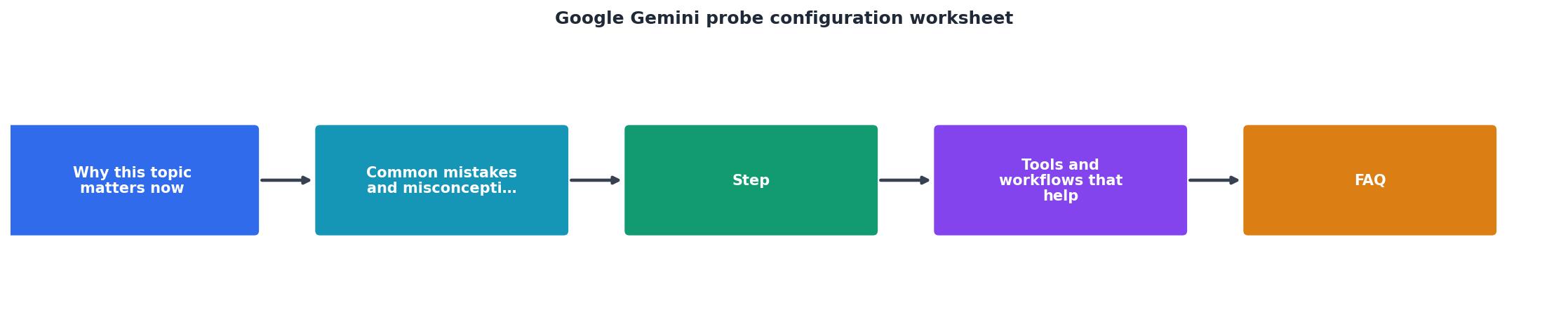
Your progress is saved automatically in your browser.
Interpreting probe data and responding to degradation
Probe data is only useful if you act on it. Here's how to interpret common patterns:
- Steady high latency across all regions: Likely a Gemini service issue or rate-limit throttling. Check your API quota; if unlimited, check Google Cloud status page and your error logs.
- High latency in one region only: Regional connectivity issue, local Google data center maintenance, or traffic spike in that zone. Consider rerouting that traffic to a backup region.
- Increasing latency trend over a week: Provider load is growing or model inference queue is building. May signal upcoming planned maintenance. Prepare fallback routes.
- Sudden latency spike followed by recovery: Transient issue; track frequency. If repeats daily, investigate whether it correlates with Google's batch processing windows or your peak traffic hours.
- Confirm via second probe or manual test. Eliminate false positives; check if error is on your end (network, auth, quota).
- Check status pages. Verify Google Cloud status, your own systems, and any on-call chat channels.
- Route traffic to fallback if available. If latency exceeds SLO by >2x, shift traffic to your backup provider or region immediately.
- Alert on-call and document. Note the time, region, latency metrics, and action taken. Add to incident log for later analysis.
- Review after recovery. Post-mortem: Did probes detect the issue early enough? Can you improve alert sensitivity or add more regions?
FAQ
Frequently Asked Questions
/providers/openrouter or contact the team at /contact to configure Gemini monitoring for your account.https://openrouter.ai/api/v1/chat/completions) with your OpenRouter API key. OpenRouter routes requests to Google's infrastructure, so probe results reflect end-to-end latency including OpenRouter's gateway. This is often higher than direct Gemini API calls but matches your real production path if that's how you're routing traffic.- Alerting on the 95th or 99th percentile latency over a 5-minute window, not individual probe results.
- Requiring two consecutive probes (15+ minutes apart) to trigger an alert.
- Excluding probes that timeout (they indicate network loss, not Gemini slowness).
Next steps: monitoring in production
Probe data is most effective when it informs routing and resource decisions. After setting up your worksheet and running probes for a week, take these actions:
- Share probe dashboards with your team. Make latency trends visible to product, infrastructure, and support teams. Use a status page or weekly digest.
- Integrate probe alerts into your incident response workflow. Link probe degradation alerts to your Slack, PagerDuty, or on-call system.
- Adjust routing logic based on probe findings. If a region consistently shows 2x latency, route new traffic to a backup provider or region automatically.
- Plan for seasonal variance. Track whether latency patterns correlate with time of day, day of week, or known Gemini maintenance windows. Adjust SLOs seasonally if needed.
Ready to start probing Gemini?
Observinio makes probe setup trivial with our 21-region network covering all major Gemini endpoints. Our platform detects degradation within minutes and sends alerts before your customers notice slowness.
- Dashboard tracks latency across 21 global regions
- Automatic degradation detection with configurable SLO thresholds
- Alert integration with Slack, PagerDuty, and custom webhooks
- 7-day trial to see regional latency patterns in your deployment footprint
Start monitoring Gemini latency today and eliminate guesswork from your infrastructure decisions.
If you're running production services that depend on Gemini, synthetic probing removes guesswork. Observinio makes probe setup trivial, our dashboard covers 21 regions including all major Gemini endpoints, detects degradation within minutes, and sends alerts before your customers notice slowness. Start with a 7-day trial to see regional latency patterns in your footprint, then decide whether daily probes or more frequent monitoring fits your SLO.
For help configuring Gemini probes or integrating with your existing monitoring stack, reach out via /contact.
Additional Resources
- Collaborate with Gemini in Google Sheets (Workspace ... - On your computer, open a spreadsheet in Google Sheets. At the top right, select Ask Gemini . In the side panel, enter a prompt to explore data connector options ...
- Google Workspace with Gemini | Generative AI - Create tables with Gemini. In Google Sheets, you can use Google Workspace with Gemini to organize and process your spreadsheet data. Gemini can help you ...
- How to Use Gemini in Google Sheets: A Complete Guide - To use Gemini in Google Sheets, open an eligible spreadsheet, select the Gemini or 'Ask Gemini' control, and describe the result you need: ...
Monitor AI API latency from 22 regions
Observinio runs daily probes against OpenRouter and OpenAI endpoints and emails you when latency degrades.
Set up alerts