Fine-tuned endpoint monitoring setup
Monitoring LLM API endpoints in production requires more than aggregate latency dashboards. When your chat application suddenly feels slow to European users but fast in the US, a single "average response time" metric tells you nothing. To catch regional degradation, provider switching impact, or request-specific slowdowns before your support team sees complaints, you need layered, measurable probes across multiple geographies and time windows.

Photo by cottonbro studio from Pexels
Monitoring LLM API endpoints in production requires more than aggregate latency dashboards. When your chat application suddenly feels slow to European users but fast in the US, a single "average response time" metric tells you nothing. To catch regional degradation, provider switching impact, or request-specific slowdowns before your support team sees complaints, you need layered, measurable probes across multiple geographies and time windows.
TL;DR
- Set up synthetic probes from multiple regions (Observinio covers 21 globally) to detect latency variance that aggregate dashboards hide.
- Monitor both TTFB (time to first byte, how fast responses start) and end-to-end latency to catch streaming vs. buffering issues.
- Establish baseline comparisons between providers (OpenRouter vs. OpenAI direct) so you can make data-driven routing decisions.
- Configure threshold-based alerts tied to your SLO, not arbitrary numbers, and get weekly summaries to spot trends before they become incidents.
- Automate your monitoring stack with daily probes and email digests so latency insights reach your team without manual polling.
Why endpoint monitoring matters for LLM APIs

LLM API latency is not static. Unlike traditional SaaS APIs where response time is predictable, language model inference depends on:
- Model load state – whether the provider has warmed up inference servers in your region.
- Token count – longer completions take longer, even if the first token arrives fast.
- Time of day – peak hours increase queue depth globally.
- Provider capacity – OpenAI and OpenRouter experience regional bottlenecks independent of each other.
A typical production scenario: Your platform routes chat requests to OpenRouter's batched endpoints during off-peak hours and switches to OpenAI direct during business hours to ensure latency. Without endpoint monitoring, you might not notice that OpenRouter's Europe region degraded 40% last Tuesday, you'll hear about it in Slack when a customer in London complains. With probes running daily from 21 regions, you catch it within minutes of the first slowdown.
How to architect a fine-tuned monitoring stack

A production-grade endpoint monitoring setup has three layers:
Layer 1: Synthetic probes from distributed regions
Synthetic probes are lightweight requests you send to your LLM endpoints on a schedule (e.g., every 5 or 10 minutes) from data centers in different geographic zones. Instead of relying on real user traffic (which is noisy and biased toward active regions), synthetic probes give you clean, consistent baselines.
For each endpoint you monitor:
- Choose probe frequency – Every 5 minutes is ideal for catching regional incidents; 10–15 minutes is acceptable for less critical endpoints.
- Select payload – Use realistic request sizes: a 500-token completion request, not a 1-token dummy call. The latency profile changes with payload complexity.
- Distribute geographically – If your users are in US, Europe, and Asia-Pacific, run probes from at least one region per zone. Observinio probes from 21 regions out of the box, so you get granular variance data immediately.
Layer 2: Metrics you actually care about
Don't just track "response time." Break it down:
- TTFB (Time to First Byte) – How long until the first token arrives. For streaming chat, this is what users perceive as "responsiveness." A TTFB under 200 ms feels instant; 500 ms+ feels sluggish.
- TTFT (Time to Full Token) – For non-streaming endpoints, this is total latency. Important for batch and completion APIs.
- P50, P95, P99 latencies – Don't average. A 50th percentile of 100 ms and 95th percentile of 800 ms tells you about tail latency that averages hide.
- Error rate – 400/500 errors spike during provider outages or rate-limiting; track them separately from latency.
Layer 3: Alerts tied to SLOs, not arbitrary thresholds
An alert threshold of "notify if latency > 1000 ms" is useless if your SLO is 500 ms TTFB. Instead:
- Define your SLO: "P95 TTFB ≤ 300 ms from any region during business hours."
- Set alert threshold 10–15% below SLO: "Alert if P95 TTFB > 255 ms for 3 consecutive probes from any region."
- Include context in the alert: "OpenRouter EU region now at 380 ms TTFB; baseline is 150 ms. Check provider status page."

Step-by-step setup checklist
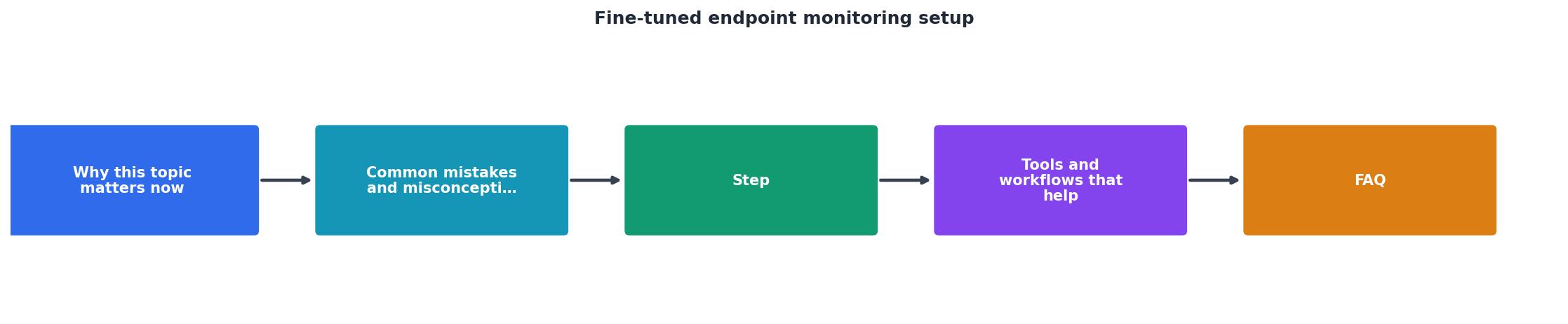
Use this checklist to configure your stack:
Your progress is saved automatically in your browser.
Practical configuration example
"Documentation IndexFetch the complete documentation index at: /llms.txtUse this file to discover all available pages before exploring further.">, Deploy a fine
Here's a sample probe configuration (pseudocode) to illustrate the concept:
Probe: OpenRouter-EU
Endpoint: https://api.openrouter.ai/api/v1/chat/completions
Region: Frankfurt (EU-Central)
Frequency: Every 5 minutes
Payload:
model: "meta-llama/llama-2-7b-chat"
messages: [{"role": "user", "content": "Explain monitoring in 100 words."}]
max_tokens: 100
Metrics collected:
- TTFB (milliseconds)
- TTFT (milliseconds)
- HTTP status code
- Error message (if any)
- Timestamp (UTC)
Alert rule:
If TTFB > 300 ms for 2 consecutive probes:
Send email to oncall@company.com with subject "OpenRouter EU latency spike: 380 ms"
Spot regional variance and act on it
Once probes run for a week or two, you'll start seeing patterns:
- Consistent regional gaps – "OpenAI always 50 ms slower in Singapore than in Tokyo." Use this to optimize regional routing.
- Time-of-day spikes – "OpenRouter latency rises 100 ms during 9–11am UTC." Schedule non-urgent batch jobs outside this window.
- Provider switching events – "Latency jumped 40% on Tuesday 3pm UTC across all OpenRouter regions." This often correlates with a provider update or capacity event; check their status page.
- Regional variance heatmap (which regions are slower than others).
- Degradation alerts (when any region exceeded SLO).
- Trend summary (latency improved/worsened vs. previous week).
Pro Tip: Automate Your Baseline Comparisons
Set up a weekly cron job that compares latency metrics across your primary and fallback providers, then posts the findings to your team Slack channel. This ensures routing decisions are always based on current performance data rather than outdated assumptions.
FAQ
Frequently Asked Questions
Next steps: Take action on latency insights
Endpoint monitoring only matters if you act on the data. Once you've deployed probes and collected a week of baseline latency, use Observinio's degradation alerts and weekly summaries to drive three concrete decisions:
- Provider selection – If OpenRouter consistently beats OpenAI in your key regions, make that your primary. If OpenAI wins on TTFB but loses on tail latency, document the tradeoff for your routing logic.
- Regional routing – Direct requests from Europe to faster European endpoints; avoid cross-continent fallbacks unless latency permits.
- Incident response – When an alert fires, reference the baseline and regional variance data in your incident timeline, so you can quickly tell whether it's a provider issue or your stack.
Additional Resources
- Deploying Fine-Tuned Models as Endpoints - Most pre-trained models get you 80% of the way to production, but the last 20% requires fine-tuning on your specific data.
- Deploy a fine-tuned model - Once a fine-tuning job completes, your model is available for inference in two ways: hosted on a dedicated endpoint at Together AI, or downloaded as a ...
- Introduction to tuning | Gemini Enterprise Agent Platform - Customized fine-tuning of Gemini models: For more tailored results, Gemini lets you fine-tune its models on your specific datasets. To create an AI model that ...
Monitor AI API latency from 22 regions
Observinio runs daily probes against OpenRouter and OpenAI endpoints and emails you when latency degrades.
Set up alerts