False positive tuning checklist
Alert fatigue is a silent killer of incident response. When monitoring systems cry wolf too often, flagging latency spikes that resolve themselves, regional hiccups that don't affect users, or routine maintenance windows, teams stop trusting the alerts. By the time a real problem lands, responders are numb. For ML platform engineers managing LLM API latency across multiple regions and providers, false positives in monitoring directly undermine your ability to act decisively.

Photo by Lars H Knudsen from Pexels
Alert fatigue is a silent killer of incident response. When monitoring systems cry wolf too often, flagging latency spikes that resolve themselves, regional hiccups that don't affect users, or routine maintenance windows, teams stop trusting the alerts. By the time a real problem lands, responders are numb. For ML platform engineers managing LLM API latency across multiple regions and providers, false positives in monitoring directly undermine your ability to act decisively.
This checklist walks you through systematizing alert thresholds, baseline calibration, and contextual filtering so your monitoring system signals real problems, not noise.
TL;DR
- Set baselines per region and provider. Global averages mask regional variance; OpenRouter latency in Europe differs from US by 20–40 ms. Use daily probes to build a 7–14 day rolling average per endpoint and region.
- Define distinct thresholds for different SLOs. Chat completions need tighter tolerance (e.g., alert at P95 > 800 ms); batch jobs tolerate 2–3 seconds. Conflating them breeds false positives.
- Add contextual filters. Exclude alerts during known maintenance windows, DNS propagation bursts, or seasonal traffic spikes. Tag alerts by severity tier (warning vs. critical).
- Review and iterate weekly. Track false positive rate (alerts that didn't correlate with user impact). Retune thresholds monthly using Observinio's degradation alerts and weekly summaries.
- Automate baseline recalibration. Your baseline from January won't match June. Regenerate rolling baselines every 2 weeks to account for provider updates and traffic pattern shifts.
Why false positives hurt

False positives create a vicious cycle. An alert fires for a 300 ms latency spike in OpenAI's Singapore region. Your on-call engineer pages, logs into the dashboard, sees the spike has already resolved, and marks the incident as resolved. The next alert, real latency degradation affecting 15% of your European users, gets triaged as noise. Forty minutes later, complaints stack up in Slack.
The cost compounds:
- Alert fatigue: Teams desensitize to warnings. Critical incidents take longer to escalate.
- Tool mistrust: If your monitoring cries wolf, engineers stop checking it. Observinio's daily probes and regional breakdown are useless if drowned in noise.
- Operational overhead: Each false positive requires investigation, context switching, and incident documentation that clutters postmortems.
"The most effective way to combat false positives is to leverage high-fidelity data that provides the context needed for confident detection and response.">, False Positives in Cybersecurity: Causes, Costs, and Fixes
In the context of LLM API monitoring, "high-fidelity data" means understanding your baseline per region per provider, knowing your true SLO tolerance, and filtering out transient noise.
Building accurate baselines

A baseline is a reference latency profile for a given endpoint, region, and model. Without one, you're setting alert thresholds by guesswork.
Step 1: Collect 7–14 days of historical data
Use Observinio's daily probes across all 21 regions to measure TTFB (time to first byte) and TTFT (time to first token) for each provider and model. Don't use a single day's data; latency varies by day of week, time of day, and provider load. A Monday morning in Europe may see 150 ms TTFB; Friday night, 210 ms.
Example data collection for OpenRouter (gpt-4-turbo):- Week 1: Collect P50, P95, P99 latencies across US-East, US-West, EU-Central, APAC regions.
- Week 2: Repeat the same measurements to confirm consistency.
Step 2: Calculate rolling percentiles
Don't use mean latency. Use P50 (median), P95, and P99 so you know how often requests hit slow tail latencies:
- P50 (median): 50% of requests are faster than this.
- P95: 95% of requests are faster than this; 5% are slower.
- P99: 99% of requests are faster than this; useful for SLA promises.
- P50 = 120 ms
- P95 = 280 ms
- P99 = 450 ms
Step 3: Account for regional variance
Latency differs drastically by region. Observinio probes from 21 regions; use that data:
- US-East to OpenRouter: ~120 ms P50, ~250 ms P95.
- EU-Central to OpenRouter: ~140 ms P50, ~280 ms P95.
- APAC (Tokyo) to OpenRouter: ~180 ms P50, ~340 ms P95.
Defining SLO-specific thresholds
Your alert thresholds must align with your service-level objective. Different use cases tolerate different latencies.
Chat completions (real-time user-facing)
Target P95 latency under 800 ms for interactive chat. If your baseline is:- P95 baseline = 280 ms
Batch / async completions
Batch operations can tolerate 2–5 seconds. If your baseline for async jobs is:- P95 baseline = 1200 ms
Critical provider endpoints
If you route 80% of traffic through one endpoint, tighten the threshold. If it's a fallback endpoint used 5% of the time, loosen it.
Implementing contextual filters

Raw thresholds still fire false positives during maintenance, traffic spikes, or transient DNS propagation. Add filters:
Maintenance windows
Tag known maintenance windows (e.g., provider updates on Tuesday 02:00–03:00 UTC). Suppress alerts during these windows or mark them with maintenance: true context so on-call knows not to escalate.
Time-of-day patterns
If your product serves primarily US customers, traffic spikes at 08:00–10:00 EST and latency naturally rises. Set a looser threshold during those hours, tighter at 02:00–04:00 EST.
Consecutive failures (duration filter)
Don't alert on a single probe spike. Require 3 consecutive probes (roughly 3–5 minutes) to exceed threshold before firing. Transient glitches resolve faster.
Regional exclusions
If you know a region's internet backbone is flaky (e.g., ISP maintenance), mute alerts from that region temporarily.
The false positive tuning checklist
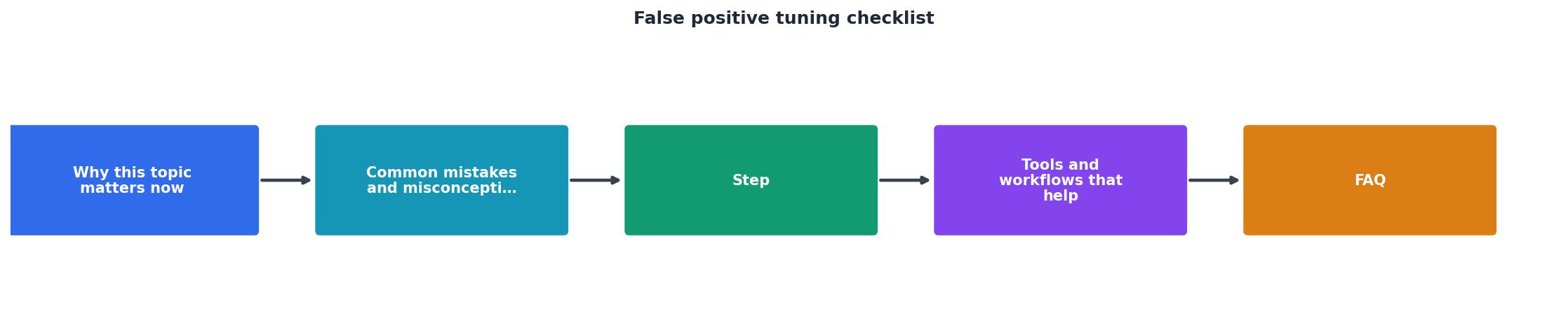
Use this checklist monthly to audit and retune your alert configuration:
Your progress is saved automatically in your browser.
Automation: Keeping baselines fresh
Manual monthly reviews work, but they're error-prone. Automate:
- Daily baseline update: Every day at 06:00 UTC, query Observinio's API for the last 14 days of probe data, recalculate P95 per region per provider, and update your alert thresholds.
- Weekly false positive audit: Email your team a summary of alerts fired, their correlation with production events, and false positive rate.
- Monthly threshold regression: Test if your thresholds are drifting too loose (catching fewer real issues) or too tight (firing more false positives). Adjust and document the reason.
🚀 Quick Start: Baseline Setup in 3 Steps
- Pull historical data: Use Observinio's API to fetch 14 days of TTFB/TTFT metrics for each provider and region.
- Calculate percentiles: Compute P50, P95, and P99 latencies; these become your baseline values.
- Set thresholds: Multiply your P95 baseline by 1.5–2.5 depending on your SLO tolerance and alert severity tier.
FAQ
Frequently Asked Questions
Next steps
Start by pulling 14 days of latency data from Observinio's dashboard or API. Calculate P95 per region per provider. Set your first round of thresholds at 1.8× the P95 baseline. Monitor for two weeks, track false positive rate, and adjust. Iterate monthly using the checklist above.
If you're monitoring OpenRouter or OpenAI directly, Observinio's regional breakdown and degradation alerts help you spot real latency issues early. Set up email alerts for your thresholds, and you'll shift from reactive firefighting to proactive tuning. With disciplined baseline management and regular false positive audits, your monitoring becomes a trusted signal that your team acts on with confidence.
Additional Resources
- Tune false positive events from creating offenses - Tuning false positive events from creating offenses. You can use the False Positive Tuning function to prevent false positive events from creating offenses.
- False Positives in Cybersecurity: Causes, Costs, and Fixes - Here's a practical checklist to help your team reduce noise and increase confidence in your security tools. Implement a multi-layered detection strategy: ...
- Identifying & Reducing False Positive Alerts - Here's a checklist to help you clearly define your detection use cases: Utilize threat intelligence. Document. Record the use case, business ...
Monitor AI API latency from 22 regions
Observinio runs daily probes against OpenRouter and OpenAI endpoints and emails you when latency degrades.
Set up alerts