Claude probe configuration checklist
Monitoring Claude API latency across 21 regions requires more than pointing probes at an endpoint and hoping for the best. When your product depends on Claude for real-time completions, whether through OpenRouter or direct API calls, you need systematic configuration that captures genuine user experience, surfaces regional degradation before customers notice it, and integrates cleanly into your alerting workflow.

Photo by ILOVESwitzerland from Pexels
Monitoring Claude API latency across 21 regions requires more than pointing probes at an endpoint and hoping for the best. When your product depends on Claude for real-time completions, whether through OpenRouter or direct API calls, you need systematic configuration that captures genuine user experience, surfaces regional degradation before customers notice it, and integrates cleanly into your alerting workflow.
This checklist walks platform engineers through the exact steps to deploy and validate Claude probes that measure latency accurately, compare baseline performance, and trigger alerts when response times drift outside acceptable bounds.
Key takeaway: Configure Claude probes across all 21 global regions to catch latency degradation within minutes of occurrence, moving from reactive incident response to proactive early detection that protects user experience everywhere.
TL;DR
- Set up Claude probes in all 21 Observinio regions to detect regional slowdowns and provider variance.
- Configure probes to measure both TTFB (time to first byte) and TTFT (time to first token) for realistic latency signals.
- Link probes to your existing alerting rules so degradation alerts reach your on-call team within minutes, not hours.
- Validate probe configuration by running a test batch and checking latency variance across regions; expect 20–40% variance in TTFB.
- Review baseline comparisons weekly to spot trends and make informed routing or provider decisions backed by real data.
Why Claude probe configuration matters
Claude latency is not uniform. A 500 ms response from us-east-1 may become 1.2 seconds from ap-southeast-1, depending on routing, provider load, and network conditions. Without regional probes, your dashboards show an aggregate average that masks the real experience, especially for users in Europe or Asia-Pacific.
Platform teams typically discover regional issues only after customer complaints arrive. By then, the incident is hours old, trust is eroded, and your postmortem lacks data to explain what happened. Proactive Claude probes, configured correctly, alert you during the first few degraded requests, not after the first user emails support.
Configuration discipline also matters. Misplaced probes, incorrect payload sizes, or stale baseline thresholds produce noise: false positives that burn on-call fatigue, and false negatives that let real degradation slip past. This checklist enforces the practices that turn Observinio from a monitoring tool into a reliable early-warning system for Claude availability.
Your progress is saved automatically in your browser.
Step-by-step configuration
1. Choose your probe endpoints
Decide whether to probe Claude directly via OpenAI's endpoint or through OpenRouter. Direct probes measure Claude's raw latency; OpenRouter probes include routing and load-balancing overhead. Both are valuable, direct gives you baseline truth, OpenRouter reflects what your users see if you route through that provider.
For most platform teams, monitoring both endpoints reveals whether latency spikes are Claude's fault or a routing layer problem. If Claude direct is fast but OpenRouter slows, the issue lives in OpenRouter's infrastructure or your configuration.
Endpoint examples:- Direct:
https://api.openai.com/v1/messages - OpenRouter:
https://openrouter.io/api/v1/messages
2. Set probe regions
Observinio covers 21 global regions. Map your user base to regions:
- US users: us-east-1, us-west-2, us-central
- EU users: eu-west-1, eu-central-1, eu-north-1
- APAC users: ap-southeast-1, ap-northeast-1, ap-south-1, ap-australia-1
3. Configure payload and model selection
Probes should mirror production traffic. Use Claude 3.5 Sonnet (or your production model) and send a lightweight but realistic prompt:
{
  "model": "claude-3-5-sonnet-20241022",
  "messages": [
    {
      "role": "user",
      "content": "Respond with a single word: ready."
    }
  ],
  "max_tokens": 10
}
Why this matters: A 500-token prompt takes longer to process than a 50-token one. If your probes use toy payloads and production uses heavy payloads, your latency baselines will be wrong. Keep probes realistic but lightweight (10–50 token requests) so you measure routing and token-first latency, not token generation time.
4. Set frequency and retention
Run probes every 5 minutes from each region. That's 288 probes per endpoint per day, a signal-to-noise sweet spot. Too frequent (every minute) produces noisy data; too sparse (hourly) misses brief degradation windows.
Retain latency data for 90 days. This window is long enough to spot weekly patterns (e.g., Tuesday mornings are slow) and short enough to keep storage costs reasonable.
5. Define baseline thresholds
Establish a baseline for each region and endpoint. Run 3–5 days of probes first, then calculate the 95th percentile TTFB and TTFT for each region. Example baseline after 5 days:
| Region | TTFB p95 (ms) | TTFT p95 (ms) |
|---|---|---|
| us-east-1 | 420 | 550 |
| eu-west-1 | 580 | 720 |
| ap-southeast-1 | 890 | 1100 |

Probe configuration process
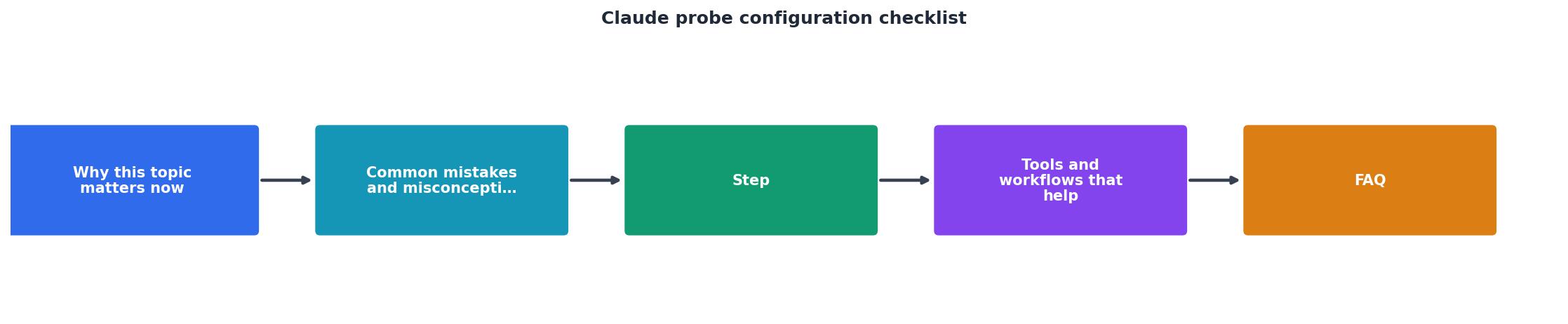
Follow this workflow to deploy probes:
- Create API keys – Generate a dedicated Claude API key (or OpenRouter key) with read-only permissions for probe requests. This key should have rate limits suited to 21 regions × 5-minute interval (about 6 requests/minute).
- Upload probe templates – Use Observinio's UI or API to register your probe configuration. Specify model, regions, payload, frequency, and retention.
- Validate in staging – Run probes against a staging environment first. Confirm that latency values make sense (within 2–3× expected production latency) and no probes are failing.
- Link to alerting – Connect probes to PagerDuty, Slack, or email. Set alert thresholds based on your 95th percentile baselines. Test an alert by manually triggering a threshold breach.
- Deploy to production – Activate probes across all 21 regions. Monitor the first 24 hours of data for anomalies or false positives.
- Iterate baselines weekly – Every Monday, review baseline stats and adjust thresholds if needed. If 80% of the data now sits above the old baseline, your threshold is too strict.
"Build reminder: always relink the CLI after daemon changes>, probe/CLAUDE.md at main · probelabs/probe · GitHub
cargo build -p probe-code --release then restart the daemon."
Interpreting probe data

Once probes run, learn to read the signals. Observinio's status page and alerts expose three key metrics:
TTFB (Time to First Byte): The elapsed time from probe initiation to the first byte of response. For Claude, this typically ranges 300–1200 ms depending on region and provider. TTFB is your canary for routing issues or provider overload.
TTFT (Time to First Token): The time until the first token appears in the streamed response. This is always longer than TTFB because token generation adds latency. A sudden 500 ms jump in TTFT usually signals API-side token processing slowdown, not network latency.
Regional variance: Compare the same metric across regions. If us-east-1 TTFB is 420 ms and ap-southeast-1 is 1200 ms, that 185% variance is normal. But if us-east-1 suddenly jumps to 1100 ms while APAC stays at 1200 ms, something broke on the US routing side.
Week-over-week trends: Observinio's weekly summary emails include baseline comparisons. If your Wednesday TTFB average climbed 15% compared to last Wednesday, investigate. Seasonal patterns (e.g., higher load on Fridays) become visible after 3–4 weeks of data.
Common configuration mistakes to avoid
- Oversized payloads: Probes with 500+ token prompts measure token generation, not latency. Keep probes under 50 tokens.
- Region gaps: Skipping APAC regions because you have few users there is false economy. Regional degradation spreads; early detection saves incidents.
- Stale baselines: Alert thresholds should evolve as your infrastructure changes. Review baselines every 2 weeks, not annually.
- Missing fallback alerting: If Slack integration breaks, alerts die silently. Always configure a secondary alerting channel (email, PagerDuty).
- Ignoring TTFT: Platform teams often focus only on TTFB. TTFT tells you whether slowness is routing or token generation, which drives different remediation.
Connecting to your workflow
Observinio integrates with PagerDuty, Slack, email, and custom webhooks. For Alex's platform team, the workflow looks like:
- Claude TTFB from eu-west-1 breaches 750 ms (1.3× baseline).
- Observinio fires an alert to a Slack channel (
#ai-api-incidents). - On-call engineer sees the alert within 30 seconds and checks the status page for affected regions.
- If it's a brief blip (< 2 min), they wait; if it persists, they page the incident commander.
- Postmortem includes Observinio latency graphs showing the exact timeline and regional scope.
FAQ
Frequently Asked Questions
Get proactive with Claude monitoring
Observinio probes transform Claude API monitoring from reactive (waiting for customer complaints) to proactive (detecting degradation in minutes). By following this checklist, configuring regions, setting realistic payloads, defining region-aware baselines, and connecting alerts to your incident workflow, you gain the visibility and early warning needed to keep chat features fast for all users, everywhere.
Set up your first probe today via Observinio's status page, and subscribe to degradation alerts. Within a week, you'll spot patterns in Claude latency that your dashboards never revealed.
Additional Resources
- probe/CLAUDE.md at main - This file provides guidance to Claude Code (claude.ai/code) when working with the probe codebase. IMPORTANT: ALWAYS use code-search-agent to navigate the ...
- The Claude Security Checklist Every Enterprise Needs - Assess your enterprise Claude security posture with this 25-point checklist covering shadow AI discovery, DLP, governance, audit readiness, ...
- Claude Code Security Best Practices - This blog is your guide to staying safe: how to configure Claude Code, what traps to avoid, and how to combine internal and external defenses.
Monitor AI API latency from 22 regions
Observinio runs daily probes against OpenRouter and OpenAI endpoints and emails you when latency degrades.
Set up alerts