Alert routing rules template
When your LLM API latency degrades, the last thing you need is alert chaos. A well-designed routing rule ensures the right team sees the right signal at the right time, before your users do. This resource walks you through building a production-grade alert routing template for AI API monitoring across regions, providers, and severity levels.

Photo by ZhiCheng Zhang from Pexels
When your LLM API latency degrades, the last thing you need is alert chaos. A well-designed routing rule ensures the right team sees the right signal at the right time, before your users do. This resource walks you through building a production-grade alert routing template for AI API monitoring across regions, providers, and severity levels.
TL;DR
- Alert routing rules direct degradation signals to the correct on-call team based on severity, region, and provider.
- Use time-of-day, service tier, and latency percentile triggers to reduce noise while catching real issues early.
- Route TTFB (time-to-first-byte) spikes differently than TTFT (time-to-full-token) slowdowns, they signal different failure modes.
- Observinio's 21-region probes let you define region-specific thresholds and escalation paths.
- Test your rules against historical baseline data before deployment to avoid false positives.
Why alert routing matters for AI API monitoring

Most teams treat LLM API latency like any other backend metric: they set a global threshold and page someone when it's crossed. That approach fails for AI APIs because:
- Latency varies by region. A 600 ms TTFB in Singapore is normal; the same in us-east is a red flag.
- Providers degrade gradually. OpenRouter may have slow token streaming from one region while remaining fast in others.
- User impact is non-linear. A 10% spike in p99 latency affects fewer users than a 50% spike in p50, yet both need different responses.
- On-call fatigue kills reliability. If every minor fluctuation triggers a page, your team stops trusting alerts.
- Contextualizing severity against regional baselines (what's normal for Paris ≠ what's normal for Tokyo).
- Routing to specialists (the OpenRouter expert gets OpenRouter alerts; the SRE team gets regional degradation).
- Aggregating noise (combine five p99 threshold violations into one "us-west region slow" alert, not five separate pages).
- Escalating intelligently (page an engineer now; email the team lead in 15 minutes if it's not acknowledged).
Core components of an alert routing rule

Every alert routing rule has four parts: trigger condition, matching criteria, action, and escalation. Let's break each down.
1. Trigger Condition
This is your metric threshold. For LLM APIs, the most useful triggers are:
- TTFB (Time-to-First-Byte) above baseline + 25%. If your Europe baseline is 200 ms and TTFB hits 250 ms, fire. This catches connection and initial response delays.
- TTFT (Time-to-Full-Token) above baseline + 15%. Streaming slowdowns are different from cold-start delays; use a tighter threshold.
- Error rate spike above 2%. Combined with latency triggers to catch provider issues.
- Percentile-based: p99 TTFB > 1.2× historical p99. More stable than raw thresholds because it adapts to provider changes.
us-east-1 but is too tight for ap-southeast-1. Use Observinio's regional baselines to define per-region triggers.
2. Matching Criteria
These filters decide which alerts apply to which rules. Common criteria:
- Region: Which of Observinio's 21 regions fired the alert?
- Provider: OpenRouter vs OpenAI vs other endpoint?
- Model family: GPT-4, Claude, Llama, route differently if you have SLAs per model.
- Time window: Office hours only, or 24/7?
- Service tier: Alert for production traffic but not staging probes.
3. Action
What happens when the rule triggers?
- Send alert: To Slack, email, PagerDuty, or webhook.
- Open incident: Create a ticket in your incident system.
- Notify on-call: Page via SMS or call.
- Auto-remediate: Spin up a fallback provider or retry with exponential backoff (rare but effective).
4. Escalation
How does the alert evolve if unacknowledged?
- 5 minutes: Page primary on-call.
- 10 minutes: Page backup on-call.
- 15 minutes: Notify team lead via email and Slack.
- 30 minutes: Declare a SEV-2 incident; pull in platform team.
Building your template: step-by-step

Step 1: Gather your baselines
Before you write a single rule, measure what "normal" looks like. Use Observinio's daily probes to collect one week of latency data for each region and provider combination.
Your progress is saved automatically in your browser.
Example baseline table:
| Region | Provider | TTFB p50 | TTFB p99 | TTFT p50 | TTFT p99 |
|---|---|---|---|---|---|
| us-east-1 | OpenRouter | 180 ms | 320 ms | 1.2 s | 2.1 s |
| eu-west-1 | OpenRouter | 210 ms | 380 ms | 1.4 s | 2.4 s |
| ap-northeast-1 | OpenRouter | 280 ms | 520 ms | 1.8 s | 3.2 s |
Step 2: Define severity levels
Map alert severity to business impact. Most teams use SEV-1 (page immediately) through SEV-4 (log only).
Severity levels for LLM API monitoring:
- SEV-1 (Critical): TTFB > baseline + 50% in any region + provider affects more than 20% of traffic. Page all on-call staff.
- SEV-2 (High): TTFB > baseline + 35% OR error rate > 5% in a single region. Page primary on-call.
- SEV-3 (Medium): p99 TTFT > baseline + 25% OR p90 TTFB > baseline + 30%. Alert to Slack only; escalate in 10 min if not ack'd.
- SEV-4 (Low): Anomalies below SEV-3 thresholds; log to CloudWatch or Honeycomb for trend analysis.
Step 3: Build region-specific rules
Create one rule per (region, provider) pair that handles significant traffic.
Example rule: OpenRouter degradation in us-west-2
Trigger: p99 TTFB > 350 ms for 2 minutes
Matching criteria:
- Provider = OpenRouter
- Region = us-west-2
- Time = 00:00–23:59 UTC (always monitor)
Action:
- Send alert to #llm-platform Slack
- Page primary on-call (PagerDuty)
- Create incident ticket
Escalation:
- +5 min: page backup on-call
- +10 min: email platform lead
- +15 min: declare SEV-2
Repeat this template for each region where you have meaningful traffic.
Step 4: Add provider-level rules
Some degradations span regions but affect a single provider. Create aggregate rules to catch these.
Example rule: OpenAI global degradation
Trigger: p99 TTFB > baseline + 40% in 3+ regions simultaneously
Matching criteria:
- Provider = OpenAI
- Number of affected regions >= 3
- Time = 00:00–23:59 UTC
Action:
- Send to #provider-status Slack
- Page on-call SRE
- Check OpenAI status page (link in message)
Escalation:
- +10 min: notify platform team lead
This catches provider-wide outages without triggering five redundant regional alerts.
Step 5: Time-of-day and traffic rules
Different escalation paths for business hours vs. nights. Adjust for your geography.
Example rule: Off-hours low-priority degradation
Trigger: p90 TTFB > baseline + 20%
Matching criteria:
- Time = 20:00–08:00 UTC (outside business hours)
- Error rate < 2% (not a real failure)
- Region = any
Action:
- Log to observability platform (Datadog, New Relic)
- Send summary email (no page)
Escalation:
- None; review in morning standup
This prevents waking your team for minor fluctuations while keeping a record.
Step 6: Test against historical data
Before deploying, replay your rules against the last 30 days of historical data from Observinio.
Testing checklist:
If a rule fired for something nobody cared about, adjust the threshold or add a time-of-day filter.
Template: ready-to-use routing rules
Use this as a starting point for your own rules:
Template 1: Regional TTFB degradation
Name: Regional TTFB Spike
Condition: p99 TTFB > region_baseline  1.35 for 3 minutes
Region: [Select from 21 Observinio regions]
Provider: Any
Severity: SEV-2
Action: Slack (#platform-alerts) + PagerDuty page
Escalation: +5 min page backup, +10 min email lead
Notes: Adjust multiplier (1.35) based on your SLA
Template 2: Provider-wide error rate
Name: Provider Error Rate Spike
Condition: Error rate > 3% for 2 minutes
Provider: [OpenRouter / OpenAI / other]
Region: Any (aggregate across all)
Severity: SEV-1
Action: PagerDuty + incident ticket + #provider-incidents Slack
Escalation: +3 min page backup, +5 min page team lead
Notes: Catches real outages quickly
Template 3: Streaming degradation
Name: Token Streaming Slowdown
Condition: p90 TTFT > region_baseline  1.20 AND p50 TTFT > region_baseline  1.10
Region: [Select regions]
Provider: Any
Severity: SEV-3
Action: Slack (#llm-platform) only (no page)
Escalation: +10 min PagerDuty if not ack'd
Notes: Different from TTFB spikes; indicates queueing, not cold start
Template 4: Off-hours anomaly logging
Name: Off-Hours Low-Impact Anomaly
Condition: Any metric > baseline + 15%
Time: 22:00–06:00 local time
Severity: SEV-4
Action: Log to Honeycomb; email summary next morning
Escalation: None
Notes: Tracks trends without waking the team
Observinio integration: using 21-region data
"Data Streams MonitoringSetupKafkaSetupData CollectionMonitors and AutomationSchema TrackingDead Letter QueuesMetrics and Tags.">, Routing Rules
Observinio's strength is its multi-region coverage. When building rules, leverage this:
- Use regional baselines: Observinio computes p50/p90/p99 TTFB and TTFT per region daily. Import these into your alerting system as dynamic thresholds.
- Compare providers side-by-side: Observinio tracks OpenRouter, OpenAI, and other endpoints from the same 21 regions, eliminating routing variables.
- Spot regional patterns: If OpenRouter is consistently slower from ap-southeast-1 but fast from us-east-1, create a region-specific rule instead of a global one.
- Baseline degradation: Before declaring a provider incident, check Observinio's weekly summary email to see if the slowdown is widespread or isolated to your region.
Common pitfalls and how to avoid them
Pitfall 1: Global thresholds for a global service.
Pitfall 2: Alerting on percentiles you don't understand.
Pitfall 3: Alert fatigue from tuning thresholds too tight.
Pitfall 4: Forgetting to test before deployment.
Pitfall 5: Not escalating.
FAQ
Frequently Asked Questions
Getting started
Implementation roadmap
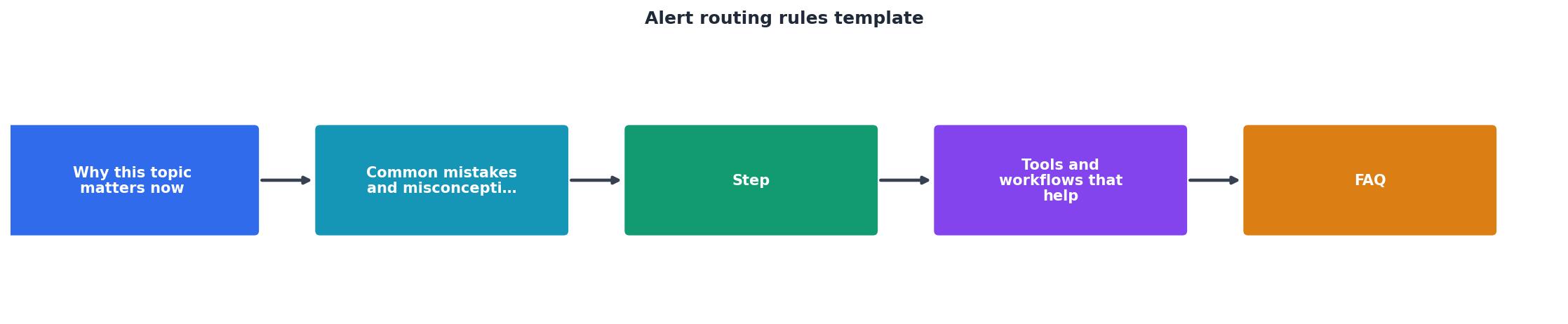
Build your alert routing template this week by following these five core steps in sequence. Each step builds on the previous one, ensuring a robust foundation for your monitoring strategy.
Build your alert routing template this week:
- Collect one week of baseline data from Observinio's daily probes across all regions.
- Define severity levels aligned with your team's on-call capacity.
- Create 3–5 core rules for your highest-traffic regions and providers.
- Test against historical data using Observinio's data export.
- Deploy and monitor: Track how often rules fire and adjust thresholds after two weeks.
Additional Resources
- Routing Rules - Routing rules determine how alerts are directed within your team. you can create rules that route alerts based on metadata such as priority, tags, monitor ...
- What are routing rules? | Jira Service Management Cloud - Explore routing rules in Jira Service Management to direct alerts efficiently based on source, content, and timing.
- Alert Routing - Routing Rules determine which alerts should page responders and where they should go. Click Add routing rule to create one. . Routing Rule Conditions.
Monitor AI API latency from 22 regions
Observinio runs daily probes against OpenRouter and OpenAI endpoints and emails you when latency degrades.
Set up alerts