
Photo by Tara Winstead from Pexels
As 2025 approaches, it's the right moment to audit your LLM API reliability. If you're running chat features, completions, or embeddings in production, latency creep and regional degradation can sneak up on you. By December, you've likely accumulated months of data, provider changes, traffic shifts, failover events, that reveal patterns. A structured year-end review gives you the baseline to set 2025 SLOs and catch problems before they become incidents.
TL;DR
- Track three core metrics: TTFB (time to first byte), TTFT (time to first token), and error rates across 21+ global regions to spot regional drift before users complain.
- Compare provider latency quarterly: OpenRouter vs direct OpenAI vs other endpoints shift with traffic patterns; use real data, not intuition.
- Audit your baseline monthly: Even 0.5% daily memory or latency drift compounds into outages; Observinio's weekly summaries catch the creep early.
- Set regional SLOs: U.S. chat endpoints perform differently than EU; define acceptable latency per region, not just global average.
- Automate degradation alerts: Email and webhook alerts on latency thresholds save MTTR; test your incident playbook before crisis hits.
Key takeaway: A year-end AI reliability audit with real latency data from 21+ regions—not guesswork—is the foundation for 2025 SLOs and incident prevention.
Why End-of-Year Audits Matter
Year-end is when incident patterns crystallize. You have:
- Twelve months of latency data from multiple regions and providers.
- Known traffic patterns (holiday spikes, post-launch surges).
- Seasonal provider behavior (some endpoints see June/July slowdowns, others spike in December).
- Team context (which incidents were provider issues vs your stack).
Too many teams skip this because latency monitoring feels abstract. But it isn't. Slow API responses = feature churn, support tickets, and lost confidence in your reliability story. A 200 ms TTFB increase in a single region compounds: users in that region get 5–10% slower chat, retries spike, your error rate climbs, and you don't notice until the incident report.
The Three Core Metrics You Need to Know

TTFB (Time to First Byte)
This is the round-trip time from your server to the LLM provider and back to your app's first response chunk. It includes network latency, provider queue time, and cold-start overhead.
Why it matters: TTFB is felt immediately by users. A 500 ms TTFB means users wait half a second before seeing a loading spinner populate. A 1.2 s TTFB feels broken, even if the full response completes in 2 seconds.
Target: Aim for TTFB under 800 ms from your primary region, under 1.5 s from distant regions.
TTFT (Time to First Token)
Similar to TTFB, but specifically the latency until the first token of the actual response arrives. For streaming endpoints, this is what you measure in production.
Why it matters: TTFT is the user's first signal that the request worked. A high TTFT = users think the chat is hung. If TTFT is 3 s and your average token latency is 50 ms, users perceive a 3 s delay before they see anything, even if the full response is snappy.
Target: Aim for TTFT under 1 s for fast-response endpoints, under 2 s for reasoning models.
Error Rate (5xx, timeouts, rate limits)
Track not just "did the request complete" but why it didn't. Rate-limit rejections, 500 errors from the provider, and timeout errors are distinct signals:
- Rate limits: Provider is overwhelmed or your quota is misconfigured.
- 500 errors: Provider incident or transient backend issue.
- Timeouts: Network loss or provider slow-handler bug.
Setting Up Your Year-End Review Checklist
Here's a concrete checklist for the next week:
Your progress is saved automatically in your browser.
Comparing Providers: OpenRouter vs Direct OpenAI (and Others)
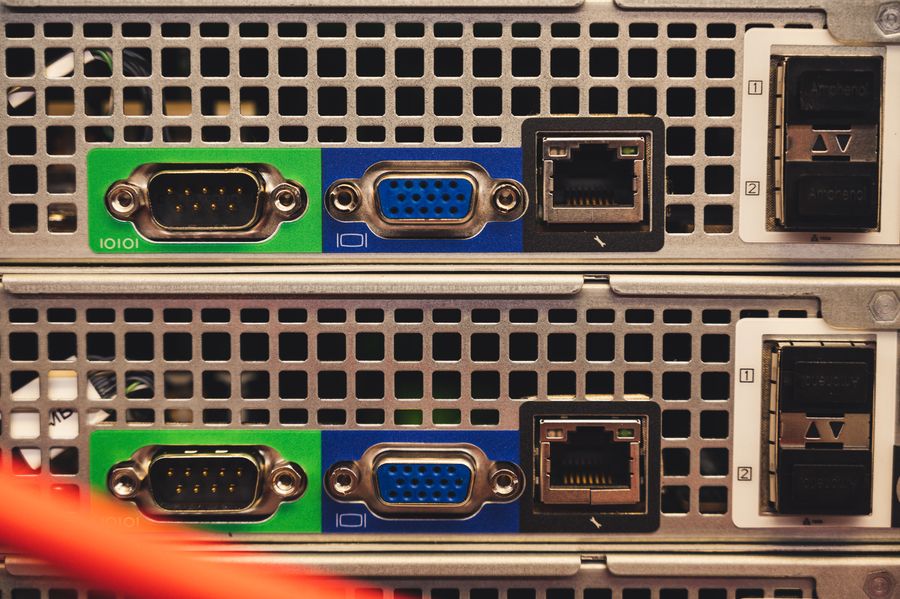
One of the most common questions from platform teams: Should we use OpenRouter or direct OpenAI?
The answer depends on your region and traffic pattern. OpenRouter adds a hop (your app → OpenRouter → OpenAI), so latency is slightly higher but you get load balancing and failover. Direct OpenAI is one fewer hop, so lower latency, but you're directly exposed to OpenAI's regional instances.
How to measure it:
- Run identical prompts to both endpoints for one week.
- Measure TTFB and TTFT in your primary region and at least one international region.
- Calculate mean, P95, and P99 for each.
- OpenRouter TTFB is usually 50–100 ms higher, but error rate is lower because they retry failed requests.
- Direct OpenAI is faster but sees occasional regional outages; OpenRouter smooths those out.
- For cost-sensitive workloads, OpenRouter's load balancing can reduce per-request spend by 10–20%.
| Metric | OpenRouter (us-east) | Direct OpenAI (us-east) |
|---|---|---|
| TTFB P95 | 720 ms | 580 ms |
| Error Rate | 0.2% | 0.5% |
| Cost per 1k tokens | $0.0015 | $0.0020 |
Spotting Latency Creep Before It Becomes an Incident
"Memory usage increasing 0.5% daily, latency creeping up over weeks, error rates slowly climbing.">, How to Drive Reliability with AI in Software Engineering
Latency rarely spikes suddenly. More often, it drifts. A 50 ms increase each week feels invisible until, three months later, your P95 TTFB has drifted from 650 ms to 900 ms. Users notice, support tickets pile up, and you scramble.
Monthly trend analysis catches this. Observinio's weekly summaries show 30-day rolling comparisons: Is latency trending up or stable? Are you on track to hit 2025 SLOs?
Red flags:
- TTFB P95 increasing 2–3% per month over three consecutive months.
- Error rate holding steady at 0.8% (below panic threshold but above target).
- One region suddenly 200 ms slower (possible routing or infrastructure change at the provider).
- Alert immediately on these trends; don't wait for quarter-end.
- Ask the provider (via support ticket) if they've changed regional routing or instance sizing.
- Check your own stack: Did you deploy a new logging system, add middleware, or increase model context window?
- Run a regional failover test: If one region is slow, can you route that traffic to a faster neighbor?
How to Run a Degradation Playbook

When latency spikes during production hours, your incident response playbook should be automatic. Here's a realistic workflow:
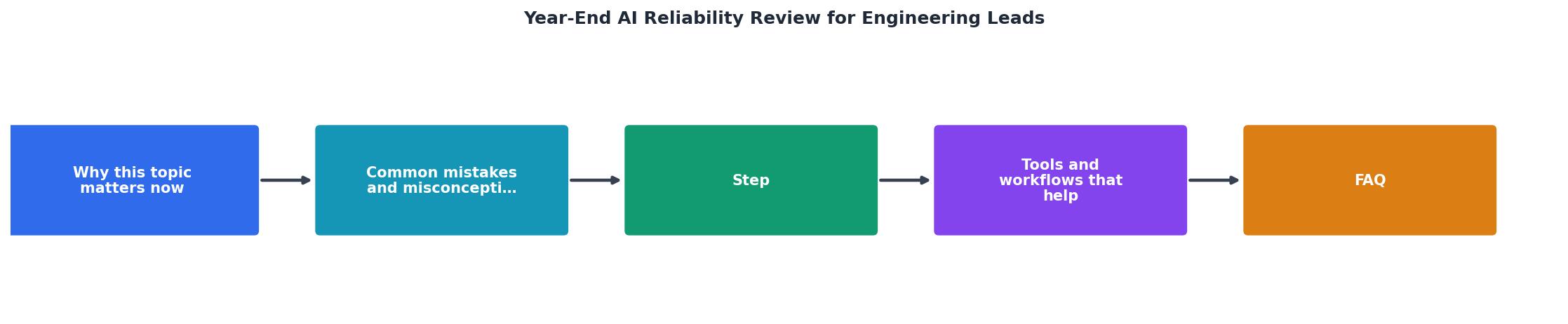
Step-by-step incident response for latency degradation:
- Alert fires (TTFB crosses 1.5 s in eu-central region).
- Observinio sends email + Slack webhook with context:
- Which region? eu-central.
- Current TTFB: 1.8 s (SLO: 1.25 s).
- Baseline: 900 ms (yesterday same time).
- Last 10 requests: 7 successes, 3 timeouts.
- On-call engineer logs into Observinio dashboard to see:
- Is it a provider-wide outage, or just your region?
- Is OpenRouter slower than direct OpenAI? (If yes, switch routing.)
- Error rate: 0.3% (not catastrophic, but abnormal).
- Check provider status pages:
- OpenAI status: "No known incidents."
- OpenRouter status: No visible issues.
- Mitigation options:
- Option A: Failover eu-central traffic to us-east (lower latency for users, but crossed an ocean).
- Option B: Increase timeout threshold for 30 min, alert product team to reduce request volume.
- Option C: Dequeue low-priority requests (background jobs), prioritize real-time users.
- Execute chosen option, monitor for 5 min.
- Post incident: Log latency spike to your incident tracker, schedule post-mortem if it affected SLO.
- Your alerts are crisp (not noise, not delayed).
- Your dashboard is real-time and shows regional breakdowns.
- Your team has tested the playbook before (not during) an incident.
FAQ
Frequently Asked Questions
Next Steps: Implement Observinio Alerts for 2025
The year-end review gives you the data. Now operationalize it. Observinio's 21-region probes and email/webhook alerts mean you catch latency regressions before your users do. Set up regional SLO alerts for your top providers (OpenRouter, OpenAI), enable weekly summary emails to track trends, and integrate webhooks into your incident management system. Test one degradation playbook before January, document it, and you'll sleep better knowing latency won't surprise you.
Ready to audit your LLM reliability?
Visit /status to set up 21-region probes, or /contact to talk through your baseline targets with our team. Make 2025 your year of reliable AI infrastructure.
Additional Resources
- How to Drive Reliability with AI in Software Engineering - AI-powered reliability systems detect issues in real-time, investigate root causes across domains, and help engineering teams ship faster with confidence.
- How AI will shape software engineering in 2026 - “The lesson from 2025 is that if you want durable productivity gains from AI, invest as much in reliability, review, and developer experience as ...
- Artificial Intelligence for safety and reliability: A descriptive, ... - The review methodically covers six pivotal topics in safety and reliability of engineering systems: fault detection and diagnosis, anomaly detection, system ...