

Photo by Alexey Demidov from Pexels
LLM API latency is not uniform. A chat completion that takes 800 ms to first byte (TTFB) from your US data center might take 2.5 seconds from Sydney. Most teams discover this the hard way, when support tickets arrive from your largest European customer, or when your Asian user retention starts to slip.
Regional latency variance is real, measurable, and predictable once you know how to monitor it. This guide walks you through building a regional degradation detection strategy that catches slowdowns before they erode user experience.
TL;DR
- Regional latency for OpenRouter and direct OpenAI endpoints varies by 200–400% depending on geography; monitor from all 21 regions where your users operate.
- TTFB (time to first byte) is the most user-visible latency signal; deviations >20% from baseline warrant investigation.
- Set degradation alerts per region and provider pair, not just global averages; a 500 ms increase in Singapore while US is normal will still kill your Tokyo feature.
- Weekly latency reports with regional breakdowns help you build the case for provider switching or routing rule changes.
- Observinio's daily probes and regional comparison dashboard make this detection automatic; use email alerts to notify your on-call team within 5 minutes of degradation.
Why Regional Baselines Matter More Than Global Averages

Global latency dashboards hide the problem. When your platform team looks at an aggregate average of 900 ms, it feels manageable. But the minute you slice by region, the story changes. OpenAI's direct endpoint might deliver 700 ms from N. Virginia while serving 2.1 seconds from Mumbai, and OpenRouter might route differently depending on congestion.
The cost of ignoring this: you ship a feature that feels snappy in your home region, then watch it perform like molasses for half your user base. You get labeled as slow. Users switch. Revenue drops.
"The strongest case studies explain what didn't work before explaining what did.">, 10 Best Blog Ideas for 2026 That People Actually Read
Here's what you need to understand: every region has its own natural baseline latency, shaped by network distance, provider infrastructure, and BGP routing. Once you establish that baseline (typically via 7–14 days of normal traffic), any 20%+ deviation from it is a red flag worth investigating.
A simple example: if your TTFB baseline from London is 650 ms on OpenRouter, and it climbs to 820 ms over two hours, that's a 26% jump. Your users will feel it. The global average might still be under 1000 ms, so a naive alert would miss it.
The Three Latency Signals You Must Track
To catch degradation early, you need to measure latency at three distinct points:
- TTFB (Time to First Byte): How long until the first token arrives. This is what users perceive as responsiveness. Baseline: varies by region, typically 400–1200 ms depending on geography and provider.
- TTFT (Time to First Token): The LLM's "thinking time" before it starts generating. Includes model inference, not just network. Baseline: usually 100–600 ms, heavily influenced by model size and provider queue depth.
- End-to-End Latency: Total time from request send to complete response. Useful for batch processes and cost analysis, but less user-visible than TTFB.
Setting Realistic Regional Baselines
Collect latency data from each region for at least seven days under normal load. Calculate the median (not mean, outliers will skew you). This becomes your baseline.
From there:
- Yellow alert: Baseline +15% (e.g., baseline 650 ms → alert at 750 ms)
- Red alert: Baseline +25% (e.g., baseline 650 ms → alert at 810 ms)
- Emergency escalation: Baseline +40% (sustained for >10 minutes)
Building a Regional Monitoring and Alert Strategy

Step 1: Choose Your Probe Regions
You don't need to monitor from all 195 countries, but you should cover your user distribution. Observinio probes from 21 regions spanning North America, Europe, Asia-Pacific, and emerging markets. Identify which regions matter most:
- North America: us-east-1, us-west-1 (cover both coasts; latency differs)
- Europe: eu-west-1 (Ireland), eu-central-1 (Frankfurt), EU users are often latency-sensitive
- Asia-Pacific: ap-southeast-1 (Singapore), ap-northeast-1 (Tokyo), ap-south-1 (Mumbai)
- Others: Add Brazil, Australia, or Middle East if you have significant user bases there
Step 2: Set Up Daily Synthetic Probes
Each probe sends a real API request (e.g., a completion with a fixed prompt) every hour or every 4 hours, recording TTFB and end-to-end latency. Daily probes catch gradual degradation; hourly probes catch acute outages.
Observinio handles this for you, configure it once, collect data forever. The cost is negligible (typically <$5/month for OpenRouter or OpenAI direct endpoints).
Step 3: Configure Regional Degradation Alerts
Set alerts on a per-region, per-provider basis, not just global:
Alert: "OpenAI us-east-1 TTFB up 25%"
If: us-east-1 TTFB > (baseline × 1.25) for 5 minutes
Then: Page on-call engineer, create incident ticket

Alert: "OpenRouter ap-southeast-1 TTFB up 35%"
If: ap-southeast-1 TTFB > (baseline × 1.35) for 10 minutes
Then: Email platform team, log to Slack #incidents
You'll get fewer false positives and faster incident response because your team will know which region is affected before they start investigating.
Step 4: Track Provider Comparison Metrics
When you use both OpenRouter and direct provider endpoints, compare their latencies. Observinio's dashboard shows you side-by-side TTFB for both, per region. You'll quickly discover patterns like:
- OpenRouter is 200 ms slower in Singapore but 100 ms faster in Germany.
- Direct OpenAI is more consistent in North America but has longer tail latencies in Asia.
Practical Artifact: Regional Degradation Response Checklist

When an alert fires, use this checklist to diagnose and respond:
Your progress is saved automatically in your browser.
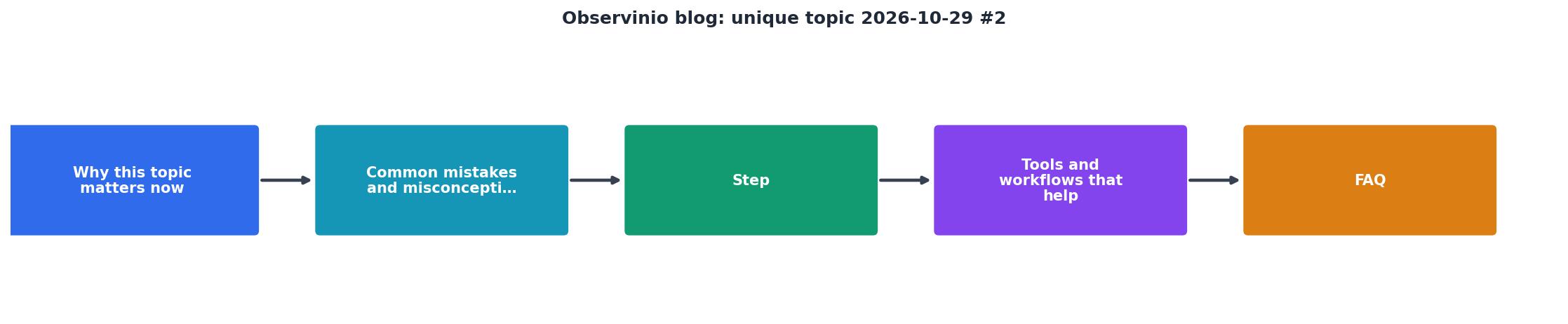
Regional Latency Monitoring Flow
Step 1: Collect baseline latency from all regions (7–14 days)
Step 2: Set per-region degradation thresholds (+15% yellow, +25% red)
Step 3: Configure automated alerts that page on-call with region context
Step 4: Route traffic away from degraded regions in real time
Step 5: Review weekly trends and adjust provider strategy based on data
Weekly Latency Reviews: Build Institutional Knowledge
The real value in regional monitoring emerges over weeks and months. Every Friday, spend 15 minutes reviewing your Observinio weekly summary:
- Top 3 latency spikes: Which region saw the biggest degradation? When? Why?
- Provider comparison: Which endpoint is faster in each region? Is the ranking stable?
- Trend: Is overall latency improving or getting worse? Are certain regions trending up?
FAQ
Frequently Asked Questions
/status page or API to query real-time latency per region. If OpenAI us-east-1 latency exceeds your threshold, route to OpenRouter or a warm cache. Most LLM router libraries (e.g., LiteLLM, LangChain) support conditional routing. Test your failover logic in staging first, swapping providers mid-request can surface unexpected bugs.Start Monitoring Regional Latency Today
Regional degradation is invisible until you measure it. Most teams build regional monitoring only after a crisis forces them to. You can get ahead: set up Observinio's daily probes from your top 5–10 regions, establish baselines, and configure degradation alerts. Within a week, you'll have more latency insight than 90% of teams shipping LLM features.
Use Observinio's weekly summaries and regional comparison dashboard to build a data-driven provider strategy. When your CEO asks why users in India are seeing slow responses, you'll have an answer backed by concrete latency measurements, not guesswork. That's the foundation of reliable AI features at scale.
Additional Resources
- 10 Best Blog Ideas for 2026 That People Actually Read - 2. Opinion Posts That Explain the Reasoning. Opinion posts still perform in 2026, but only when they slow down. Readers are tired of loud takes.
- Appinio Blogs on Research and Consumer Behavior - Appinio's blogs: Written for people to educate themselves about market research and gain useful insights on current trend topics and consumer behavior.
- 30 Blog Topics That Will Dominate 2026 (and Actually ... - 1. How I Rebuilt My Workflow with AI (and Got My Life Back) · 2. 10 AI Tools Creators Are Quietly Using to Win in 2026 · 3. Can You Really Make ...