
Photo by Andrew Neel from Pexels
You've shipped a chat feature powered by OpenAI. It works in your region. But last week, a user in Singapore reported 8-second response times. This week, someone in São Paulo complained about timeouts. You have no idea whether it's your infrastructure, OpenAI's regional performance, or network routing. You're a solo builder, you don't have a platform team to figure it out.
TL;DR
Key takeaway: Regional latency variance can be 2–3x worse outside North America. Without proactive monitoring from multiple regions, you'll miss degradation until users complain, costing you sleep and customers.
- OpenAI API latency varies significantly by region; a 200 ms TTFB in the US can easily become 1200 ms in Asia.
- Solo developers need to monitor latency proactively from multiple regions, not just react to customer complaints.
- Time-to-First-Byte (TTFB) and Time-to-First-Token (TTFT) are the metrics that matter; ignore vanity benchmarks.
- Daily automated probes from 21 global regions catch degradation before users do.
- Email alerts and a public status page build trust and reduce support noise.
Why solo developers can't ignore latency

Most solo developers treat API latency as someone else's problem. "It's OpenAI's infrastructure, if it's slow, it's not my fault." That logic breaks the moment you ship to production and users span multiple continents.
Here's the reality: OpenAI's latency is not uniform. A direct call to their API from a US data center might return the first token in 400 ms. The same call from Tokyo might take 1.5 seconds. That 1100 ms difference isn't a provider failure, it's the speed of light and routing economics. But your users don't know that. They just see a slow chat.
Worse, you can't see it either. OpenAI's dashboard shows you usage and cost. It doesn't show you latency by region. You don't know if the Singapore user had bad luck with network jitter or if OpenAI's Asia endpoints are consistently slow. Without that data, you can't make smart decisions:
- Should you route requests to a different region?
- Should you switch to OpenRouter, which load-balances across multiple endpoints?
- Should you cache responses or implement request batching?
- Is it safe to scale traffic, or will latency get worse?
Latency matters more than you think
The gap between "fast enough" and "too slow" is smaller than you'd expect. Research suggests that users perceive response times under 500 ms as immediate. At 1 second, they start to feel delay. At 2 seconds, many abandon the interaction. For a chat feature powered by an LLM, that means:
- TTFB (Time-to-First-Byte): the time from request sent to first byte received. For chat, this is the time until OpenAI starts sending the response.
- TTFT (Time-to-First-Token): the time until the first token appears. This is often what users feel as latency, because it's when the chat starts to look alive.
"Intuition: Prompt tokens add very little latency to completion calls.">, Production best practices
This matters. If your prompt is 5000 tokens and the first response token takes 600 ms, the user sees a 600 ms wait before text appears. That's perceptible but acceptable. But if regional routing adds another 400 ms, you're at 1000 ms, the threshold where users start complaining.
Regional variance is the hidden cost. A provider can be fast on average but slow in specific regions. Without region-level data, you can't spot this. You'll blame yourself, optimize your code, find nothing, and still see complaints. Then you'll spend two weeks scaling infrastructure that didn't need scaling. All because you couldn't see that OpenAI's Mumbai endpoint was having a bad day.
How to monitor latency as a solo developer

You need three things:
- Automated probes from multiple regions. Manual testing from your laptop tells you nothing about real-world routing. You need synthetic requests from geographically distributed points, sent on a regular schedule (e.g., every hour).
- A baseline to compare against. Is 450 ms TTFB good or bad? You can't know without historical data. A baseline tells you whether latency is trending up or down, and by how much.
- Alerts when things break. You can't watch a dashboard 24/7. You need an email or Slack message the moment latency crosses a threshold you care about, e.g., "TTFB exceeded 800 ms in Singapore."
Step 1: Define your SLO
Pick a Time-to-First-Byte (TTFB) target. For chat, 500 ms is a good starting point. You can be more aggressive (300 ms) or more lenient (800 ms) depending on your use case.
Write it down: "95% of requests should return TTFB under 500 ms from US East, US West, and Europe. 90% from Asia-Pacific."
This gives you a measurable target and a basis for alerting.
Step 2: Set up synthetic probes
You need to send regular, small requests to your OpenAI endpoint from multiple regions. The request should be realistic, don't just ping /models; send an actual completion request that the API will process.
A minimal example:
import openai
import time
from datetime import datetime

def measure_latency(region: str):
    start = time.perf_counter()
    response = openai.ChatCompletion.create(
        model="gpt-4o-mini",
        messages=[{"role": "user", "content": "Say 'hello'"}],
        timeout=10,
    )
    ttfb = time.perf_counter() - start

    return {
        "region": region,
        "ttfb_ms": ttfb  1000,
        "timestamp": datetime.utcnow().isoformat(),
        "model": response.model,
    }
Run this from 5–7 regions (e.g., US East, US West, Europe, Singapore, Tokyo, São Paulo, Sydney). A service like Observinio does this for you automatically from 21 regions, which saves you the hassle of managing cloud instances or Lambda functions worldwide.
Step 3: Collect and visualize
Store the results in a time-series database or a simple log. Track TTFB by region, by time of day, and by model. Plot it. You're looking for:
- Is latency trending up over days or weeks?
- Are certain regions consistently slow?
- Does latency spike at certain hours (e.g., US peak hours)?
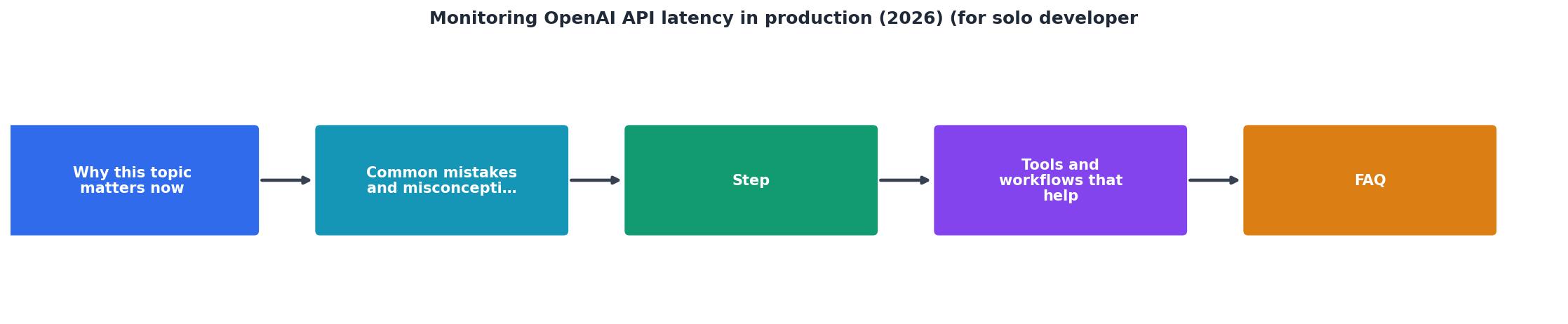
Step 4: Set up alerts
Define thresholds:
- Warning: TTFB exceeds 600 ms in any region.
- Critical: TTFB exceeds 900 ms in any region, OR TTFB is 2x worse than baseline.
- The region(s) affected.
- The current TTFB and the baseline.
- A timestamp.
- A link to your status page (if you have one).
Step 5: Act on alerts
When you get an alert:
- Check if it's widespread or regional. If Singapore is slow but US is fine, it's likely an ISP or regional routing issue, not OpenAI's fault.
- Check OpenAI's status page. They occasionally have regional incidents.
- Wait 5 minutes and recheck. Transient jitter happens; wait to see if it recovers.
- If it persists, check your own infrastructure. Is your request handler slow? Is there a DNS delay? Use tools like
mtrorcurl -wto measure individual hops. - Notify users if it's prolonged. A brief mention on a status page ("We're investigating elevated API latency in Asia-Pacific. ETA 30 min.") prevents support emails.
Global latency variance: what to expect

| Region | Typical TTFB | Typical TTFT |
|---|---|---|
| US East | 250–400 ms | 400–600 ms |
| US West | 300–450 ms | 500–700 ms |
| Europe (Frankfurt) | 400–550 ms | 600–800 ms |
| Singapore | 800–1200 ms | 1100–1500 ms |
| Tokyo | 900–1300 ms | 1200–1600 ms |
| São Paulo | 700–1000 ms | 1000–1300 ms |
The takeaway: if you have users outside North America, assume latency will be 2–3x worse. Plan your UI and user expectations accordingly. A progress indicator or "thinking..." animation helps a lot when TTFT creeps toward 1 second.
The monitoring checklist
Here's a practical checklist you can use today:
Your progress is saved automatically in your browser.
FAQ
Frequently Asked Questions
- Use smaller models (e.g., gpt-4o-mini instead of gpt-4-turbo) for lower-latency responses.
- Implement request batching or caching if your use case allows.
- Use streaming to show the first token faster, even if total time is the same.
- Route requests to geographically closer endpoints if you have a multi-region setup.
curl -w "@curl-format.txt" to measure individual request latency. If your test is fast but Observinio's probes are slow, check your networking (DNS resolution, VPN, ISP). If everything is slow, wait 5 minutes, transient jitter happens. If it persists beyond 15 minutes, alert your users and monitor OpenAI's incident channels. Most outages are resolved within an hour.Next steps
Start small. Pick one region where your key users are, set up a simple TTFB probe, and collect one week of data. Then add a second and third region. Once you have two weeks of data, you'll see patterns: peak hours, day-of-week variance, provider reliability.
From there, alerts become meaningful. A threshold that's 2x your baseline matters because you have data to back it up. A threshold pulled from a blog post (like "500 ms is good") is just a guess.
If you're running a production chat service and users span multiple continents, proactive latency monitoring isn't optional, it's the difference between a reliable product and one that feels broken half the world away. Observinio's global probes and email alerts make this effortless to set up. Check out our status page for an example, or get in touch to discuss regional monitoring for your specific use case.
Monitor OpenAI latency from 21 global regions
Get email alerts when TTFB degrades in any region. Start tracking latency today.
Request a demoAdditional Resources
- Production best practices | OpenAI API - API key usage can be monitored on the Usage page once tracking is enabled. You can enable tracking going forward on the API key management dashboard.
- Approaches for monitoring quality of reasoning capabilities ... - Hi - I am wondering how other developers are approaching the monitoring of models' reasoning capabilities and the detection of degradation ...
- Fastest Deep Research APIs for AI Agents in 2026 Compared - Compare the fastest deep research APIs in 2026 by latency, accuracy, cost, and output format for building faster AI agents.