

OpenRouter routes your LLM requests across dozens of providers, Claude, GPT-4, Llama, and others, offering cost flexibility and fallback resilience. But that flexibility comes with a hidden cost: latency unpredictability. In production, you cannot rely on aggregate provider benchmarks. Regional variance, traffic spikes, and model selection all shift response times in ways that vendor dashboards do not surface. By late 2026, production deployments depend on continuous, multi-region synthetic monitoring to catch degradation before users do.
This guide walks you through building a latency monitoring strategy for OpenRouter in production, explains what metrics actually matter, and shows you how to set up proactive alerts so slowdowns become incidents you respond to, not discover via support tickets.
TL;DR
- TTFB (time to first byte) and TTFT (time to first token) are the metrics that matter most for chat and streaming workflows; aggregate "response time" hides regional and per-model variance.
- OpenRouter latency varies significantly by region and model choice; a request that takes 200 ms from US-East may take 800 ms from Australia without degradation alerts.
- Synthetic probes from multiple regions catch real-world user experience; vendor status pages only show provider uptime, not latency SLO breach.
- Daily probes and p90/p95 thresholds let you detect anomalies early; weekly summaries help you spot trends and optimize provider/model routing.
- Observinio alerts trigger on degradation, not just downtime, so you move fast without alert fatigue.
Key takeaway: Regional latency variance for OpenRouter requests can reach 2–3× differences; synthetic monitoring from multiple geographic locations is essential to catch degradation before users experience slowdowns in production.
Why OpenRouter Latency Monitoring Matters in Production
OpenRouter sits between your application and dozens of LLM endpoints. For every request, OpenRouter must:
- Route the request to a provider and model you selected (or auto-selected).
- Wait for the provider to process and return tokens.
- Stream or batch the response back to your application.
Synthetic probes from fixed regions bypass your application stack entirely. They measure OpenRouter's true response time from multiple geographies, giving you signal that is independent of your infrastructure. That signal is what lets you make fast routing decisions (switch to a faster model, change regions, or fail over to a different provider) and escalate to OpenRouter support with hard data.
TTFB and TTFT: The Metrics That Matter
Latency means different things to different workflows. For batch processing, total response time is all that matters. But for streaming chat, two metrics dominate the user experience:
Time to First Byte (TTFB)
TTFB is the elapsed time from when you send a request to OpenRouter until you receive the first byte of the response. For streaming endpoints, this is the time until the first token chunk arrives. A slow TTFB means users stare at a spinning loader before anything appears, even if the rest of the stream is fast.
Example: You send a chat completion request to OpenRouter at 12:00:00.000. OpenRouter routes to Claude, Claude starts processing, and at 12:00:00.245 the first token chunk arrives. TTFB = 245 ms.
Time to First Token (TTFT)
TTFT is nearly identical to TTFB in streaming setups (because tokens are delivered in chunks). In batched-response workflows, TTFT is the delay until the first token is fully generated by the model itself. For most modern LLM workloads via OpenRouter, TTFB and TTFT are interchangeable.
"p90 means 90% of requests complete at or below that latency value.">, How to Evaluate LLM Provider Performance, OpenRouter Blog
Both TTFB and TTFT are best understood as percentile distributions, not averages. A provider might claim "average TTFB of 150 ms," but that average hides the fact that 5% of requests take 1+ seconds. When you monitor in production, always track p50 (median), p90, and p95. A service that breaches p90 on Tuesday but recovers by Wednesday signals a real degradation, even if the average stays flat.
Why Not "Response Time"?
Total response time (request sent to response complete) is misleading because it conflates TTFB with stream duration. A 2,000-word response might take 5 seconds total, but if TTFB is 180 ms, the user sees text start appearing quickly. Conversely, a 100-token response with TTFB of 1.2 seconds feels sluggish even if it completes in 1.5 seconds total. Focus on TTFB; total response time is secondary.
Regional Variance: The Hidden Latency Multiplier
One of the most overlooked aspects of OpenRouter latency is that it is not uniform across geography. The same request from New York and from Tokyo can differ by 2–3× in TTFB, even for the same model.
Reasons for regional variance include:
- Provider API endpoint geography. OpenRouter may route requests to provider data centers in specific regions. Claude's fastest endpoint from US-East is different from the fastest endpoint from Singapore.
- Network backbone latency. International backbone routes have different peering agreements, congestion patterns, and physical cable routes. Europe-to-US-West via Pacific is different from Europe-to-US-West via Atlantic.
- Provider load balancing. Major providers load-balance across multiple inference clusters worldwide. During peak hours in one region, requests may queue longer on geographically closer endpoints.
- Model availability. Some models run in only a subset of regions. If you request Llama 3.1 from Australia, OpenRouter may route to a US endpoint and add cross-continental latency.
Action item: Set up probes from at least 3–5 geographic regions that match your user distribution. If 40% of your users are in Europe, ensure Europe is a monitored region. Observinio probes from 21 regions, so you can align your monitoring with actual user footprint.
Building a Synthetic Monitoring Checklist
Setting up effective OpenRouter latency monitoring requires intentional configuration. Here is a step-by-step approach:
Your progress is saved automatically in your browser.
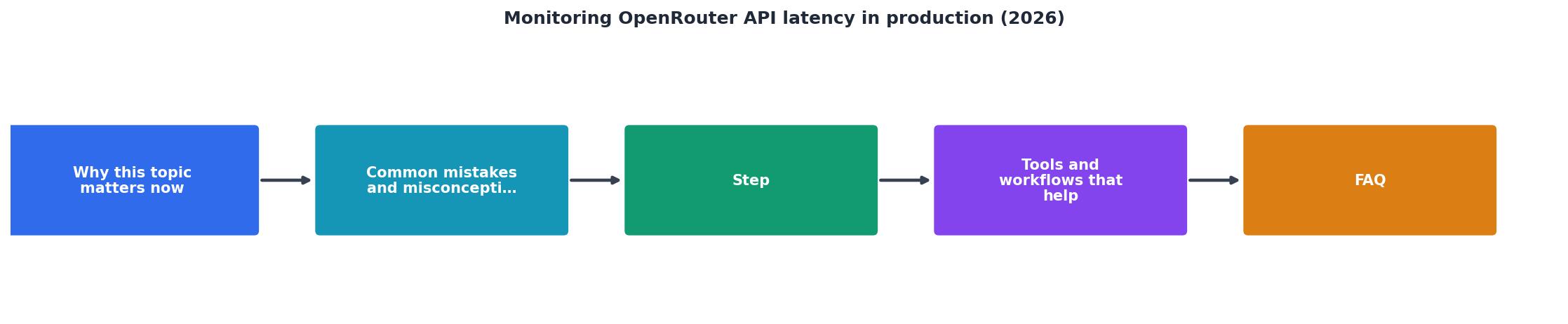
Step 1: Define Your Baseline
Start by establishing a latency baseline for each region, model, and request type you care about. A baseline is your "known good" value; degradation alerts trigger when you exceed it by a threshold (e.g., +50 ms or +20% over baseline).
Baseline setting tasks:
- Run 50–100 test requests to each model from each region over 24 hours, capturing p50, p90, p95.
- Record the baseline for:
- Model combinations you actually use (e.g., gpt-4o, claude-opus, llama-3.1).
- Regions where your users are.
- Request types (e.g., short prompts vs. long context windows).
- Store baselines in a simple table or configuration file so your alert thresholds can reference them.
| Model | Region | p50 (ms) | p90 (ms) | p95 (ms) |
|---|---|---|---|---|
| claude-opus | us-east-1 | 185 | 240 | 285 |
| claude-opus | eu-west-1 | 320 | 510 | 620 |
| gpt-4o | us-east-1 | 220 | 310 | 380 |
| gpt-4o | ap-southeast-1 | 450 | 680 | 800 |
Step 2: Configure Daily Probes
Set up probes that run on a predictable schedule, not randomly. Daily probes (e.g., every 6 hours) balance signal quality with API cost and noise.
Probe configuration:
- Frequency: Every 6 hours from each region (4 probes per region per day).
- Request payload: Use a realistic but fixed prompt (e.g., "Summarize the following in 2 sentences: [short text]"). Consistency matters for trend spotting.
- Model rotation: If you support 5 models, run one full model cycle every 6 hours, so each model gets ~2 probes per day.
- Timeout: Set probe timeout to 30 seconds; if a request hangs longer than your user-facing timeout, mark it as a degradation.
Step 3: Set Up Degradation Alerts
Alerts should fire when actual latency crosses your degradation threshold, not when it merely exceeds an arbitrary number.
Alert rules:
- Trigger condition: p90 latency > baseline_p90 + 50 ms for 2 consecutive probes in the same region/model.
- Severity: Warning if +50 ms, Critical if +100 ms or +30% over baseline.
- Avoid alert fatigue: Require 2 consecutive probe failures before alerting (1 flaky probe is normal; 2 in a row suggests a real issue).
- Route alerts to: Slack channel, email, or PagerDuty depending on severity.
Step 4: Collect Weekly Summaries
Once daily probes settle in, aggregate them weekly. Weekly summaries show you long-term trends (is Claude getting slower? Did switching to gpt-4-turbo help?).
Weekly summary to capture:
- Average p90 and p95 TTFB per region, per model.
- Count of degradation alerts (how many times did p90 spike this week?).
- Slowest and fastest region/model combination.
- Comparison to previous week (trending up/down?).
Responding to Latency Alerts in Production
When an alert fires, do not panic. A single spike might be noise. But a degradation alert (p90 spike for 2+ probes) deserves action:
Immediate response (0–5 minutes):
- Check OpenRouter status. Visit the OpenRouter status page or OpenRouter provider dashboard to see if there is a known incident.
- Verify with your own application metrics. Is your infrastructure healthy? Check API server load, database latency, and queue depth. Degradation might be on your side.
- Spot-check a manual request. Send a test request from the affected region to OpenRouter directly (or via your app) and measure latency. Confirm the probe result is real.
Investigation (5–30 minutes):
- Isolate by model. If the alert triggered for Claude but not GPT-4, the issue is likely Claude-specific or its endpoints, not OpenRouter's router.
- Check for regional patterns. If only US-West is slow, the issue is likely West Coast-specific (provider cluster, backbone congestion, etc.).
- Review provider docs. OpenRouter publishes provider status and known issues; check if Claude or your chosen model posted a degradation notice.
Resolution (30+ minutes):
- Failover to a different model. If Claude p90 is 800 ms and gpt-4o p90 is 250 ms, switch your chat feature to gpt-4o temporarily.
- Trigger retry logic. Your application should have exponential backoff; failed requests auto-retry.
- Escalate if needed. Contact OpenRouter support with your probe data (region, model, baseline, current p90, timestamps). Hard data beats "it's slow."
- Document in postmortem. Log which model, region, and time the alert fired; what you did; and how long it took to resolve. Use this for quarterly reviews.
Integration with Your Observability Stack
Your latency monitoring should not live in isolation. Integrate it with existing tools:
Correlation with application metrics
- Tag all OpenRouter latency alerts with request context: user ID, session, model version, and feature flag.
- Correlate spikes in OpenRouter TTFB with spikes in your API error rate. If both spike simultaneously, you have a provider issue. If only TTFB spikes and errors stay flat, the provider is slow but not failing.
Dashboard integration
- Add a dashboard tile for "OpenRouter p90 TTFB by region (past 7 days)" next to your application latency dashboard.
- Show baseline + current side-by-side so anomalies jump out visually.
Incident runbooks
- Create a playbook: "OpenRouter latency alert fired, what to check first?" Runbooks save time during incidents and let junior engineers respond without escalation.
Dashboard Setup Example
Sample Monitoring Dashboard Queries
Use these queries in your observability platform to surface OpenRouter latency alongside application metrics:
openrouter.ttfb.p90{model="claude-opus", region="us-east-1"}– p90 TTFB for Claude Opus from US-Eastopenrouter.ttfb.p90{model=}– p90 TTFB across all monitored modelsopenrouter.degradation_alerts{region=}– count of degradation alerts by region (past 24 hours)openrouter.baseline_deviation{model=}– percentage deviation from baseline TTFB (current vs. 7-day average)
Combine these with your application error rate, API latency, and queue depth metrics to correlate provider issues with user impact.
FAQ
Frequently Asked Questions
Final Thoughts: Latency as a Feature
Monitoring OpenRouter latency is not just a reliability concern, it is a product concern. Users in Tokyo should see text appear as fast as users in New York. Latency directly affects perceived responsiveness, engagement, and churn. By running synthetic probes from multiple regions and setting up degradation alerts, you transform latency from an invisible black box into a measurable, controllable metric.
The key insight is this: your users will experience regional latency variance.* You can either let that variance surprise you on a support ticket, or you can catch it proactively and respond in minutes. Observinio's daily probes and email alerts mean you stay ahead of degradation without building a custom monitoring pipeline. Set it up, configure your baseline, and let your team focus on shipping features instead of firefighting latency.
Start by baselining your top 3 models from your top 3 regions. Within a week, you will have the data you need to make smarter routing and model selection decisions. Continuous monitoring transforms latency from an invisible problem into an actionable metric that drives both reliability and product improvements.
Additional Resources
- How to Evaluate LLM Provider Performance - Compare LLM providers on p50-p99 latency, throughput, uptime, and quantization, then enforce the result with routing controls.
- 16 Best OpenRouter Alternatives for Private, Production AI ... - 16 Best OpenRouter Alternatives for Private, Production AI (2026) ... Real-time cost tracking, latency monitoring, and error analysis come standard ...
- OpenRouter alternatives: 6 unified LLM APIs compared (2026) - Compare six OpenRouter alternatives across SDK compatibility, pricing and markup, caching, cost attribution, self-hosting, observability, ...