
Photo by Shantanu Kumar from Pexels
OpenAI API latency is no longer a technical curiosity, it's a business metric. When users in Tokyo experience 3-second response times while users in London see 800 ms, your product feels broken even if the infrastructure is working correctly. Production latency monitoring for LLM APIs has become essential for any team shipping AI features at scale.
This guide covers how to measure, track, and act on OpenAI API latency across regions, with practical steps you can implement today.
TL;DR
- TTFB (time to first byte) and TTFT (time to first token) are the metrics that matter; aggregate averages hide regional disasters.
- Regional variance is real: OpenAI response times shift by 2–5× depending on where traffic originates and where the completion is computed.
- Passive monitoring is not enough. Synthetic probes from 21+ global regions catch latency regressions before customers do.
- Set degradation alerts at the 95th percentile, not the mean; sudden spikes at p95 signal real user pain.
- Daily probes and weekly summaries let you compare performance trends without constant dashboard checking.
Why latency matters now more than ever
OpenAI has moved fast in 2025–2026, and the production footprint has expanded. With models distributed across multiple regions, routing decisions, and batch vs. real-time trade-offs, latency is no longer predictable. A 500 ms p50 response time might hide a 5-second p95 tail, leaving 5% of users frustrated.
For platform teams, this unpredictability breaks SLOs. For SREs, it makes incident response harder, you can't tell if slowness is your fault or the provider's. For startups, it's a competitive risk: a faster competitor using the same API might simply be routing smarter.
"Intuition: Prompt tokens add very little latency to completion calls.">, Production best practices
The key insight is that completion latency is dominated by the time-to-first-token (TTFT), not the size of the input. This means your monitoring strategy must focus on TTFT and the p95/p99 tail, not raw throughput.
Understanding the latency you care about

Before you can monitor latency, you need to measure the right thing. OpenAI completions involve two distinct phases:
Time to First Byte (TTFB)
TTFB is the elapsed time from request send to the first byte of the response arriving at your client. This includes:- Network round-trip time to OpenAI's nearest endpoint.
- OpenAI's queue wait and processing overhead.
- Tokenization and model warm-up.
Time to First Token (TTFT)
TTFT is the time from request send until the first completion token is generated. This is the metric users feel. A user sees a response starting to appear in their UI after TTFT elapsed, even though the full response may take several more seconds.
TTFT = TTFB + time for the model to generate the first token.
For smaller models like GPT-4o mini, TTFT often lands under 500 ms from a nearby region. For larger models or during peak load, TTFT can exceed 2 seconds.
Why averages lie
If you monitor only the mean TTFT, you miss the tail. Consider this real scenario:
- Mean TTFT: 600 ms
- p50 TTFT: 580 ms
- p95 TTFT: 2100 ms
- p99 TTFT: 4800 ms
Setting up synthetic monitoring across regions
Synthetic monitoring means sending real API requests from known locations on a schedule, typically daily, to measure latency without relying on production traffic.
Why synthetic beats passive sampling
Passive sampling (measuring latency in your production app) sounds appealing because it's "real," but it has blind spots:
- You only measure latency from regions where your users are.
- Spikes during low-traffic periods are invisible.
- Regional degradation might not affect your user base that day.
Step-by-step setup
- Choose a probe interval. Daily probes (once per day per region) are adequate for most teams. High-traffic platforms should consider 4–6 hourly probes per region.
- Define a baseline model and payload. Use a simple, consistent prompt:
"Hello, please respond with a single word to confirm you are working normally."
- Record TTFB, TTFT, and status code from each region.
- Set storage and dashboards. Store raw probe data in a time-series database. Track:
- Per-region TTFT and TTFB (p50, p95, p99).
- Daily trend lines (compare today vs. last week).
- Regional heatmaps (which regions are slow?).
- Automate alerts. Trigger an alert when:
- Any region's p95 TTFT exceeds your SLO (e.g., 1.5 seconds).
- Any region's p95 degrades by >30% compared to the 7-day rolling average.
- Any probe fails for >2 consecutive runs.
Example: probe payload
{
  "model": "gpt-4o-mini",
  "messages": [
    {
      "role": "user",
      "content": "Respond with: OK"
    }
  ],
  "max_tokens": 10,
  "temperature": 0
}
Temperature 0 ensures deterministic responses and minimal token variance.
Identifying and acting on regional latency variance
Once you have latency data from 21 regions, patterns emerge. Understanding these patterns lets you make routing decisions.
Common latency patterns
Pattern 1: Consistent regional clustering- US East: 180 ms p50, 320 ms p95
- US West: 220 ms p50, 410 ms p95
- Europe: 450 ms p50, 980 ms p95
- Asia: 650 ms p50, 1400 ms p95
- Singapore p95 TTFT: normally 800 ms, today 3200 ms
- All other regions: normal
- All regions p95 TTFT: up by 40% compared to 7-day average
- No regional bias
Latency heatmap: a practical example
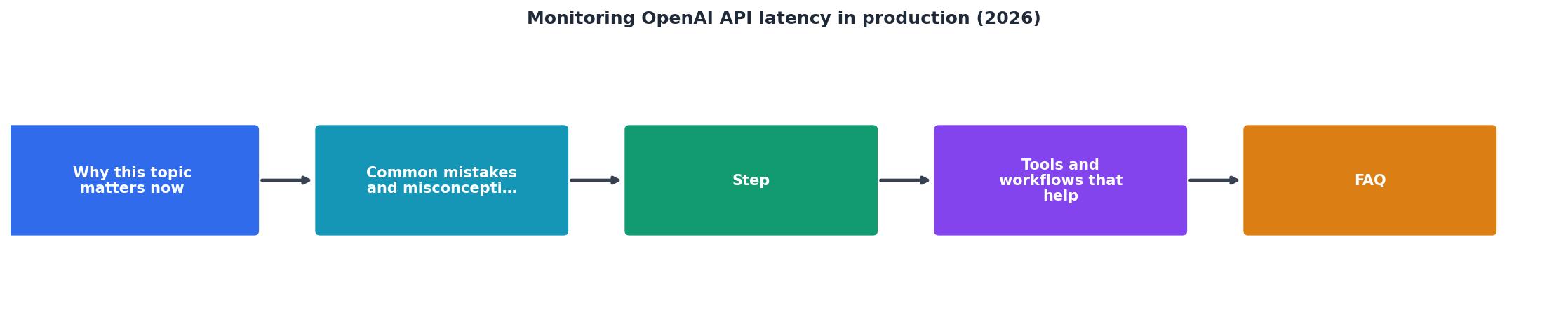
A weekly heatmap showing p95 TTFT for each model across 21 regions helps you spot trends:
| Region | gpt-4o-mini | gpt-4o | gpt-4-turbo |
|---|---|---|---|
| us-east-1 | 320 ms | 480 ms | 620 ms |
| us-west-2 | 410 ms | 560 ms | 780 ms |
| eu-west-1 | 980 ms | 1200 ms | 1600 ms |
| ap-southeast-1 | 1400 ms | 1800 ms | 2100 ms |
- Smaller models are consistently faster (expected).
- Latency grows with distance from US (normal).
- If eu-west-1 suddenly jumps to 2500 ms, that's an alert.
Comparing OpenAI direct vs. OpenRouter latency
Many teams use OpenRouter as a load-balancing layer because it offers multiple provider endpoints and can fall back if one is slow. But does it add latency overhead?
Short answer: Negligible for p50, measurable at p95.
- OpenAI direct p95 TTFT (US): 320 ms
- OpenRouter p95 TTFT (US, routed to OpenAI): 380 ms
- If your SLO is p95 < 500 ms globally, use OpenRouter for resilience.
- If you need < 200 ms p95, direct OpenAI with regional routing is faster.
- If you need both, use direct OpenAI in critical regions and OpenRouter as a secondary.
Alerting strategy and incident response
Set up alerts at three tiers:
Tier 1: Regional anomaly alert (page SRE)
Trigger when any region's p95 TTFT:- Exceeds SLO for >5 minutes.
- Degrades >50% vs. 7-day baseline for >10 minutes.
- Check OpenAI status page and Twitter for known issues.
- Run a probe from a different region to confirm it's regional, not global.
- If global, page the platform team. If regional, consider failover.
- Log the incident timestamp for later analysis.
Tier 2: Degradation warning (email digest)
Send a daily email if:- Any region degraded 20–50% vs. baseline.
- Latency is rising week-over-week.
Tier 3: Weekly summary email
Include:- Best and worst regions (TTFT p95 and p99).
- Week-over-week latency change.
- Any anomalies detected.
- Recommended actions (e.g., "consider fallback to OpenRouter in Asia this week").
Practical monitoring checklist
Your progress is saved automatically in your browser.
FAQ
Frequently Asked Questions
Next steps: get baseline latency data
Latency monitoring only works if you start today. Begin with a simple setup:
- Pick 5 key regions (us-east-1, us-west-2, eu-west-1, ap-southeast-1, ap-northeast-1).
- Send a daily probe from each region at noon UTC.
- Store the results in a spreadsheet or time-series DB (InfluxDB, Prometheus).
- Set one alert: p95 TTFT > 1500 ms (adjust for your SLO).
- Review weekly for trends.
Additional Resources
- Production best practices | OpenAI API - API key usage can be monitored on the Usage page once tracking is enabled. You can enable tracking going forward on the API key management dashboard.
- Latency optimization | OpenAI API - This guide covers the core set of principles you can apply to improve latency across a wide variety of LLM-related use cases.
- Degraded Performance since May 18th 2026 - Microsoft Q&A - We are seeing a sudden decrease in latency performance since May 18th. Check whether the issue affects all APIs or only specific APIs. review ...