
Photo by David Brown from Pexels
When your inference API slows down at 2 AM on a Friday, the question isn't if you're going to failover, it's which provider you're failing over to, and how fast you can detect it. Running multiple LLM providers isn't just risk management anymore; it's standard architecture for teams shipping production chat and completion APIs. But failover that isn't driven by real latency data is just guesswork with higher operational complexity.
This article explores how to build a multi-provider failover system powered by live latency monitoring across regions, what metrics matter, and how to implement decision logic that keeps your users' requests fast even when one provider degrades.
TL;DR
- Multi-provider failover requires baseline latency data per region to be effective; aggregate averages mask regional hotspots.
- Monitor Time-to-First-Byte (TTFB) and Time-to-First-Token (TTFT) independently; providers degrade differently by metric.
- Failover decisions should be automatic and threshold-based, not manual; latency is too dynamic to wait for human judgment.
- Regional variance is real: a provider fast in US-East may be slow in Singapore; collect data from all regions your users touch.
- Observinio's 21-region probes let you detect regional degradation and tune failover thresholds with actual production latency patterns.
Why Single-Provider Architecture Fails in Production
Most teams start with one provider, OpenAI, OpenRouter, Anthropic, because it's simpler. The problem emerges within months: a provider experiences regional congestion, you get a support ticket from your EU customers, and your incident response is reactive scrambling.
Single-provider setups have an invisible cost: you have no baseline for what "normal" latency looks like. When a customer says "your chat is slow today," you're forced to ask OpenAI if they're experiencing issues. You can't answer with data.
Multi-provider failover flips this: you always have comparative latency data. If OpenRouter's TTFB in Frankfurt suddenly jumps from 80 ms to 600 ms, your system sees it before users do. You failover to OpenAI Direct or Anthropic Claude, measure their latency from Frankfurt in real time, and make a decision backed by live numbers, not guesses.

Building Your Latency Baseline
Before you can failover intelligently, you need a baseline: the expected latency for each provider from each region, under normal load. This baseline is your decision threshold.
How to Capture Baselines
- Run daily probes from all regions. Use synthetic requests (small completion calls, no user data) to measure TTFB and TTFT for each provider from each region. Observinio runs daily probes from 21 regions; this gives you geographic coverage without building your own probe infrastructure.
- Track TTFB and TTFT separately. TTFB (Time-to-First-Byte) measures API response time; TTFT (Time-to-First-Token) measures the latency of the first token in a streaming response. Providers degrade differently by metric. OpenRouter might have slow TTFB during scaling events but stable TTFT. OpenAI Direct might reverse that pattern. You need both.
- Segment by model and region. A gpt-4-turbo request from Sydney has different baseline latency than a gpt-3.5-turbo request from the same region. Your baseline must account for model weight; otherwise, failover logic becomes unreliable.
- Calculate percentiles, not just averages. A provider with 50 ms average and 100 ms p95 is not the same as one with 50 ms average and 5 s p95. Use p50, p95, and p99 to build your threshold.
Example Baseline (OpenRouter vs OpenAI Direct, gpt-4-turbo from Virginia)
| Provider | Region | TTFB p50 | TTFB p95 | TTFT p50 | TTFT p95 |
|---|---|---|---|---|---|
| OpenRouter | Virginia | 85 ms | 180 ms | 95 ms | 220 ms |
| OpenAI Direct | Virginia | 70 ms | 140 ms | 110 ms | 240 ms |
| OpenRouter | Frankfurt | 210 ms | 410 ms | 250 ms | 480 ms |
| OpenAI Direct | Frankfurt | 185 ms | 360 ms | 320 ms | 650 ms |
Implementing Automatic Failover Logic
Once you have baselines, failover logic is straightforward: if a provider's latency drifts above a threshold (e.g., p95 TTFB exceeds 2× the baseline for 5 consecutive probes), failover to the next-best provider.

Decision Tree: When to Failover
Below is a practical checklist for implementing automatic failover rules:
- Measure latency live from your application layer. Don't rely only on external probes; instrument your actual API client to measure TTFB and TTFT for each request. External probes give you early warning; application metrics confirm the problem is real.
- Define degradation thresholds per region and model. Use your baseline percentiles to set thresholds. For example:
- If TTFB p95 exceeds 1.5× baseline for 3 consecutive requests from the same region, mark that provider as degraded.
- If degradation persists for 2 minutes, failover.
- Maintain a provider priority list per region. This isn't static. Update it weekly based on latency trends. If OpenRouter consistently outperforms OpenAI Direct in your Asia regions, put OpenRouter first in Asia.
- Log every failover with latency data. When you switch providers, record the latency that triggered it, the new provider, and the outcome latency. This builds a feedback loop for improving your thresholds.
- Test failover manually before automation. Spin up a staging environment, inject artificial latency into one provider, and confirm your failover logic switches correctly. Failover bugs are expensive.
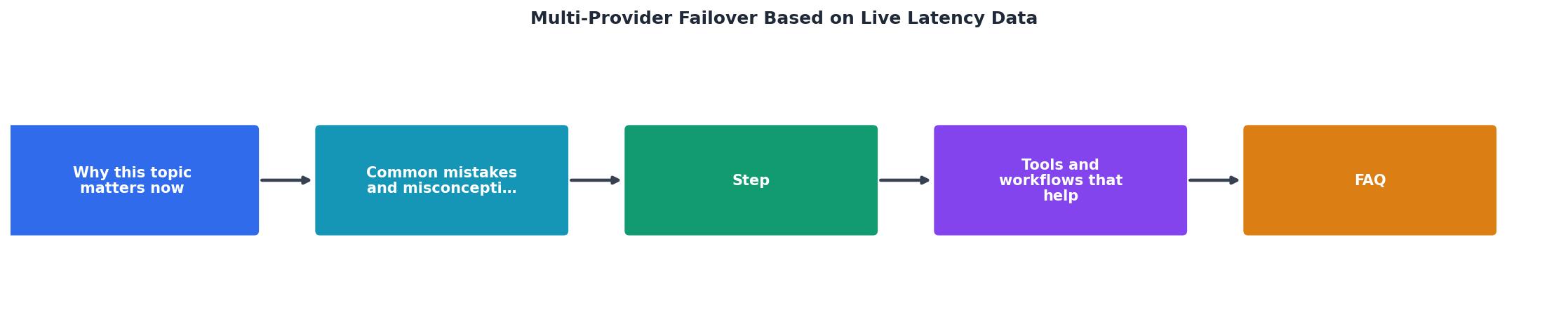
Failover Process Diagram
The Role of the Gateway
Implementing multi-provider failover is much easier if you route all requests through a gateway, a single API layer that knows how to speak each provider's protocol and knows which provider to pick for each request based on current latency.
"The gateway is the one component that sees every provider, holds every key, and normalizes the API to a single shape, which is exactly what failing over from one provider to another requires.">, LLM Failover & Load Balancing for Provider Outages
Without a gateway, failover logic gets scattered across your codebase. Service A uses OpenAI, Service B uses OpenRouter, and when one provider degrades, you have no unified place to make a decision. With a gateway:
- One place to measure latency. Every request flows through the gateway; you see latency centrally.
- One place to update provider priority. Change routing logic once, and it applies everywhere.
- Unified retry and fallback logic. If a provider times out or returns an error, the gateway knows the fallback provider immediately.
- Easy to test. Mock provider latency or errors at the gateway layer to validate failover behavior.
Regional Latency Variance: The Hidden Multiplier
Here's a fact most teams learn the hard way: latency variance by region is not a edge case, it's the default. A provider that's fast in US-East might be 5× slower in Singapore. Failover logic that ignores regions is failover logic that fails.
Why Regional Variance Matters
- User experience is regional. Your Singapore users don't care that your average latency is 150 ms; they care that their requests took 2 seconds because you didn't have regional latency data.
- Cost optimization is regional. Some providers are cheaper in certain regions due to data residency laws or local partnerships. If you can't measure latency by region, you can't make informed cost decisions.
- Incident response is regional. When a provider degrades, it's often regional. Knowing which region lets you failover surgically, only for affected users, instead of nuking everyone to a new provider.
Collecting Regional Data
To get regional latency data, you need synthetic probes from multiple geographic locations. Running your own probes is possible but expensive; you need to spin up compute in 15+ regions, manage them, and update probe logic frequently.
This is where external latency monitoring comes in. Observinio runs daily probes from 21 regions (US-East, US-West, EU-West, EU-Central, Tokyo, Sydney, Singapore, and more). Each region probes every major provider (OpenRouter, OpenAI Direct, etc.) on a cadence you control. The data is historical, so you can see trends: "OpenRouter TTFB in Frankfurt has been creeping up for 3 days."
Building Your Failover Checklist
Here's a step-by-step implementation guide:
Your progress is saved automatically in your browser.
FAQ
Frequently Asked Questions
Monitoring and Alerting
After failover is live, you need visibility. Set up alerts for:
- Failover events. Every time your system switches providers, you should get a Slack or email alert with latency data. This catches unexpected behavior.
- Degradation. Alert when a provider's TTFB or TTFT drifts 50% above baseline, even if you haven't failover'd yet. Early warning prevents customer impact.
- Cascading failure. If your primary provider fails and your secondary provider is also slow, you need to know. Alert if multiple providers degrade simultaneously.
Next Steps
Start small: add a second provider (OpenRouter if you're on OpenAI Direct, or vice versa), run latency probes for a week, and implement failover for a subset of traffic (5–10%). Once you're confident, roll out to 100%.
The investment in multi-provider failover is frontloaded but pays off in incident response speed and customer trust. When your chat slows down, you're not calling your provider's support line, you're failover'ing and moving on.
Ready to Deploy?
Want to get regional latency data without building probes? Observinio monitors OpenRouter and OpenAI Direct from 21 regions, delivers daily latency trends, and alerts on degradation. Check our status page to see live latency and set up email alerts in minutes. Your multi-provider failover system can be operational within days, not weeks.
Additional Resources
- LLM Failover & Load Balancing for Provider Outages - Priority-based routing gives an ordered failover chain; latency-based routing favors the lowest-latency healthy target; and an unhealthy ...
- Building Multi-Provider LLM Failover for Voice Agents - Learn how to build multi-provider LLM failover for voice agents. Discover architecture, reliability factors, and pitfalls to avoid downtime.
- Runbooks and Tuning for Internet Failover in Multi Site ... - A failover system watches for packet loss, latency spikes, and jitter against defined thresholds, and switches paths once those thresholds are ...