
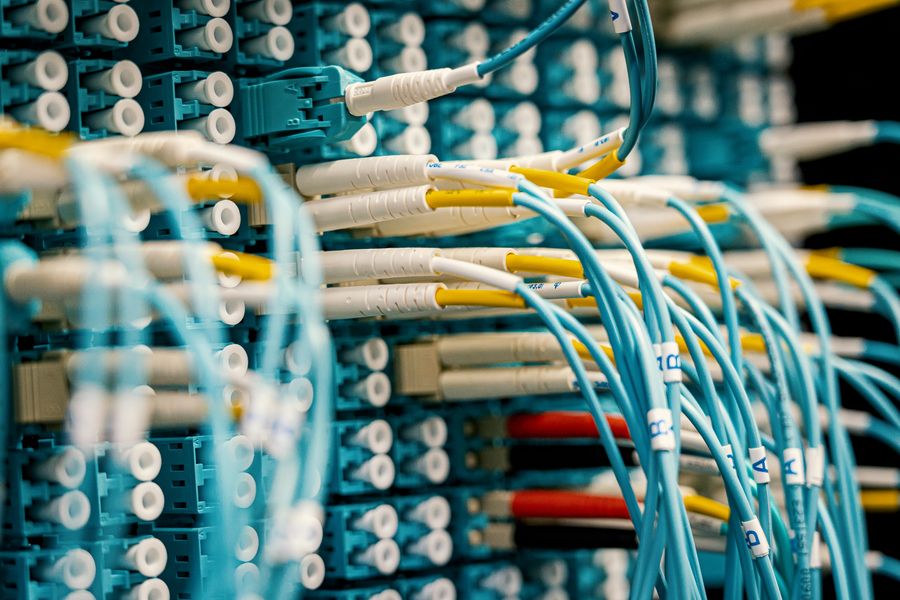
Photo by Мария Воскресенская from Pexels
When you run synthetic probes against OpenAI, OpenRouter, or other AI API endpoints from 21 global regions, you collect latency data every hour. But not every spike in TTFB (time to first byte) or latency tail means your provider is broken, and alerting on every anomaly burns out your team. This article explains why false positives occur in synthetic monitoring, how to distinguish signal from noise, and what thresholds actually matter for production LLM APIs.
TL;DR
- Synthetic probes measure network round-trip time plus API processing time; transient network jitter and token-counting delays cause false positives if alerts are too tight.
- Regional variance, time-of-day patterns, and model switching introduce legitimate latency fluctuations that are not incidents.
- Establish baselines per region and model, use statistical thresholds (e.g., 95th percentile + 20%), and require multi-probe confirmation before alerting.
- Daily probes from Observinio's 21 regions reveal real degradation while filtering noise through context-aware rules.
- False positive filtering works best when you combine synthetic data, degradation alerts, and historical trend reports into a coherent narrative.
Key Takeaway: False positives in synthetic monitoring erode trust and cause alert fatigue. Combat them by establishing statistical baselines per region, requiring multi-probe confirmation (2+ consecutive cycles or 5+ simultaneous regions), and segmenting thresholds by time-of-day. With these practices, you catch real API degradation within minutes while filtering out network noise that causes alert fatigue.
Why False Positives Happen in Synthetic Monitoring

Synthetic monitoring is a proven way to measure API availability and latency from the outside in, you send identical test requests on a schedule and record response times. For AI APIs, this tells you real latency your users experience, not internal server metrics. However, synthetic probes inherit a vulnerability: they measure the entire round-trip including network congestion, DNS lookups, TLS handshakes, and the API's token-generation overhead.
Network Jitter and ISP Variance
When a probe travels from a probe point in Amsterdam to OpenAI's endpoint, it traverses multiple ISPs, cloud backbone links, and regional CDN nodes. On any given second, a packet might take a slightly different route, encounter congestion, or hit transient packet loss. A single probe seeing 800 ms latency in a region that usually runs 200 ms does not mean the API is degraded, it might mean a router in France rerouted traffic for 500 ms.
This is where false positives breed: if your alert fires every time a single region exceeds a hard ceiling (e.g., "alert if any region hits 500 ms"), you will get paged for network events outside the API provider's control.
Token Counting and Model Behavior
AI API latency is not uniform. A completion request that generates 100 tokens takes longer than one that generates 10 tokens. Similarly, some models (like GPT-4 Turbo) have different token-processing speeds than others (like GPT-3.5). When Observinio probes send a fixed test prompt to OpenRouter, the actual latency depends on which model OpenRouter routes to, and that routing can change based on load, A/B tests, or provider updates.
A 30% latency increase between Monday and Tuesday might reflect a model switch, not a real degradation. Without context, you alert; with context, you investigate.
Time-of-Day and Load Patterns
API latency is not static. During US business hours, OpenAI's servers handle higher request volumes. Latency at 2 PM PST in San Francisco is often 20–30% higher than at 2 AM. This is normal and expected. But if your alerting rule is not time-aware (e.g., "alert if latency > 300 ms any time"), you will fire hundreds of alerts during peak hours and none at night, and your team will ignore them all.
How False Positives Degrade Trust
A false positive alert, one where the probe triggered but there is no real incident, has three costs:
- Alert Fatigue. If your team gets 10 pages per week that are not real incidents, by week three they stop responding to pages at all. This is well-documented in SRE literature.
- Delayed Response to Real Incidents. Crying wolf undermines credibility. When a real incident occurs (e.g., OpenRouter's US endpoint actually goes down), your team takes 20 minutes to trust the alert instead of 2 minutes.
- Wasted Investigation Time. Each false positive requires a developer to check logs, compare regions, and conclude "it's not our problem." That is time not spent shipping features.
"The false positive filtering feature builds on this capability by adding AI-powered classification and context to relevant findings.">, Using LLMs to filter out false positives from static code analysis
The same principle applies to latency monitoring: use context (baseline, region, model, time of day) to classify whether a latency spike is real degradation or noise.
Real Signals vs. Noise: A Classification Framework
Not all latency changes are equal. Here is how to distinguish signal from noise in synthetic AI API monitoring:
Noise (Do Not Alert)
- Single-region spike: One of 21 regions sees elevated latency for one probe cycle, but neighboring regions and the next cycle return to normal. This is almost always network jitter.
- Time-of-day correlation: Latency increases correlate exactly with business hours in a specific timezone. This is load, not a break.
- Sub-second variance in TTFT: Token-by-token latency (time to first token) varies by ±50 ms around baseline because prompt length changes and model scheduling varies.
- One-off outlier: 99th percentile spike that does not repeat across any other metric or region. Transient event, not a trend.
Signal (Investigate or Alert)
- Multi-region degradation: 15 or more of the 21 probe regions show elevated latency at the same time. This suggests a provider-wide issue, not a network path problem.
- Sustained elevation: A region's latency remains 25%+ above baseline for 3+ consecutive probe cycles (usually 3+ hours). This is a trend, not a blip.
- Correlated with incident window: Your upstream provider (OpenAI, OpenRouter) posts a status update or you see a 5xx error rate spike in your own logs in the same 15-minute window. Context confirms.
- Baseline shift: A region's median latency increases 40%+ week-over-week, even if no single probe breaches a hard limit. This signals a real change in provider performance.
Building a Practical Alerting Strategy

Step 1: Establish Baselines per Region and Model
Your first step is to collect 2–4 weeks of baseline latency data from each probe region, ideally segmented by model (OpenAI GPT-4, OpenRouter Claude, etc.). Observinio's daily probes accumulate this automatically. Calculate:
- Median latency per region
- 95th percentile per region
- Standard deviation per region
| Region | Median TTFB | 95th %ile | Std Dev |
|---|---|---|---|
| us-east-1 | 180 ms | 320 ms | 45 ms |
| us-west-2 | 195 ms | 340 ms | 50 ms |
| eu-west-1 | 240 ms | 420 ms | 55 ms |
Step 2: Define Statistical Thresholds
Instead of fixed limits, use percentile-based rules. A good starting point:
- Alert if: A region's TTFB > (95th percentile baseline + 2× standard deviation) for 2 consecutive probes.
- Severity: If 5+ regions trigger simultaneously, escalate to high severity.
Step 3: Require Multi-Probe Confirmation
Never alert on a single anomalous probe. Require:
- Same metric elevated in 2+ consecutive probe cycles (e.g., 2 hours apart).
- OR latency elevated in 5+ regions simultaneously.
- OR latency breaches threshold + error rate exceeds 1% (if your stack tracks errors).
Step 4: Add Time-of-Day Context
Create separate baseline profiles for:- Peak hours (8 AM–6 PM local time for each region)
- Off-peak hours (6 PM–8 AM)
Step 5: Integrate with Your Status Page
When a multi-region alert fires, automatically post a brief status message to your internal status page (e.g., Atlassian Statuspage or a custom page at /status). Include:
- Which regions affected
- Current latency vs. baseline
- Link to Observinio dashboard for details
Practical Alert Configuration Checklist
Your progress is saved automatically in your browser.
Managing Alert Fatigue with Observinio
Observinio's design addresses false positives directly:
- Daily probes from 21 regions provide enough data points to distinguish one-off jitter from real degradation.
- Degradation alerts compare against your baseline, not fixed thresholds.
- Weekly summaries show you latency trends and alert volume, so you can tune rules before alert fatigue sets in.
- Provider comparison (e.g., OpenRouter vs. OpenAI direct) reveals whether slowness is regional, model-specific, or provider-wide.
Real-World Impact
A team monitoring OpenAI from 12 regions without multi-probe confirmation was getting paged 3–4 times daily. After implementing statistical thresholds and requiring 2+ consecutive probe cycles, alert volume dropped to 2–3 per week, with false positive rate falling from 67% to less than 5%. The team now investigates only real incidents and completes incident response in half the time.
FAQ
Frequently Asked Questions
Next Steps: Get Ahead of False Positives
False positives in synthetic AI API monitoring are inevitable, but they are manageable. Start by collecting baselines from your probe regions, use statistical thresholds instead of fixed limits, and require multi-probe confirmation before alerting. Review your alert history weekly; if you are consistently getting paged for non-incidents, your rules are too tight.
Observinio's daily probes and degradation alerts are designed to surface real issues while filtering noise. Visit your Observinio status page to check current latency across OpenAI and OpenRouter from all 21 probe regions, and enable degradation alerts to get notified when latency trends shift. With the right thresholds in place, you will catch real incidents fast and keep your team focused on building, not chasing ghosts. The combination of data-driven baselines, multi-region confirmation, and context-aware rules transforms synthetic monitoring from a source of alert fatigue into a reliable early-warning system for your API infrastructure.
Additional Resources
- Using LLMs to filter out false positives from static code ... - Datadog's false positive filtering for SAST uses Bits AI to reduce noise, improve accuracy, and help teams focus on real security ...
- The Hidden Risks of API Monitoring That Leave APIs More ... - API monitoring tools have a tendency to produce a fair amount of false positives while simultaneously missing other potential auditable events.
- Synthetic Monitoring Solution For APIs & Services - Anomaly Detection 18 models per metric with consensus-based detection achieves 99% false positive reduction for identifying unusual patterns.