
Photo by cottonbro studio from Pexels
When an LLM API slows to a crawl across three continents, your chat feature stops working. When a provider goes partially down in one region but not others, your routing layer has no idea. When the incident ends, what happened? Why did it take 40 minutes to detect? Who knew what, and when?
A postmortem is not a blame session, it is a structured way to learn from production incidents, document what happened, and prevent the same failure next time. For teams relying on external AI APIs, a solid postmortem template is the difference between chaos and systematic improvement.
TL;DR- Postmortems capture what broke, why it took time to notice, and what changes prevent recurrence.
- AI API incidents are hard to diagnose because latency is regional, variable, and often invisible until users complain.
- Use a structured template covering timeline, root cause, impact metrics, and action items.
- Observinio's 21-region probes and degradation alerts help you detect and document incidents faster.
- A postmortem template forces rigor; skip it and the same incident repeats in three months.
Why Postmortems Matter for AI API Reliability

Platform teams managing LLM APIs live in a state of partial visibility. Your own infrastructure sits behind your dashboards; third-party APIs do not. When OpenRouter slows in Mumbai but stays fast in Frankfurt, or when OpenAI throttles one model but not another, how do you know which users are affected and how badly?
Most incidents are discovered reactively: a support ticket lands, or your chat feature has a spike in 5xx errors. By then, the damage is done, users have switched to a competitor, or a critical workflow broke. A postmortem answers the hard questions:
- What actually failed? Was it the provider, your routing, or something in between?
- How long were we blind? Did your first alert fire before or after the user complaint?
- What should have warned us? Which metric or probe would have caught this earlier?
- What changes prevent recurrence? Not just "we'll monitor better", concrete action items with owners and deadlines.
"Buildbucket Postmortem: 6% builds lost on 2015-04-22.">, GitHub
This famous postmortem from Google's infrastructure team illustrates the point: they quantified impact (6% of builds), recorded the exact moment (2015-04-22), and published it for others to learn from. Your AI API incidents deserve the same rigor.
The Core Structure: What Every AI API Postmortem Must Include
A postmortem template keeps your incident reviews consistent and forces you to capture what actually mattered. Below is a structure tailored to AI API latency and uptime incidents, with real-world examples.
1. Incident Summary
Start with the headline: what broke, when, and for how long?
- Title: e.g., "OpenRouter TTFB spike in EU-West-1, Nov 15 23:47–00:34 UTC"
- Start time (UTC): Exact timestamp.
- End time (UTC): When the incident was resolved, not when you noticed it.
- Duration: Total impact window.
- Severity: Critical (feature down), High (degradation >20%), Medium (isolated user impact).
- Affected service: Chat completion API, embedding batch job, etc.
- Affected regions: Which Observinio probe regions detected it?
Title: OpenAI API throttling in US-East-1, Dec 3 14:22–14:58 UTC
Duration: 36 minutes
Severity: High
Affected service: Chat completions (gpt-4-turbo)
Detected by: Observinio probe in us-east-1a, 7 minutes after onset
2. Impact Quantification
Do not say "users were slow." Measure it.
- Requests affected: How many API calls hit the degradation?
- Users affected: Estimated unique users or accounts.
- Error rate: Percentage of requests that failed or timed out.
- Latency increase: TTFB (time to first byte) baseline vs. peak.
- Revenue impact: If known (churn, refunds, SLA credits).
- Regional variance: Was it global, or specific regions?
Requests affected: ~12,000 (0.8% of daily volume)
Users affected: ~340 accounts
Error rate: 4.2% (normally 0.03%)
TTFB baseline: 120 ms
TTFB during incident: 890 ms (7.4x)
Regions affected: US-East-1, Canada-Central (other 19 Observinio regions unaffected)
Revenue impact: $2,100 in SLA credits; 2 trial signups cancelled
3. Timeline: The Exact Sequence of Events
List every event in UTC order, with timestamps to the minute. This is your source of truth for what you knew and when.
- 23:47 UTC, Observinio probe in US-East-1 records TTFB spike to 800 ms (vs. 130 ms baseline).
- 23:49 UTC, Degradation alert fires in Slack (2-minute delay from probe threshold breach).
- 23:51 UTC, On-call engineer checks dashboard, confirms OpenAI endpoint slow in one region only; starts investigating.
- 23:53 UTC, Engineer scales up connection pool; no improvement.
- 23:56 UTC, First customer support ticket arrives: "Chat is slow."
- 00:02 UTC, Engineer contacts OpenAI support; receives message that API is under maintenance in US-East-1.
- 00:15 UTC, OpenAI sends status page update: maintenance window extended to 00:45 UTC.
- 00:34 UTC, OpenAI reports maintenance complete; latency drops to baseline.
- 00:36 UTC, Alert clears; all-clear message posted to incident channel.
4. Root Cause Analysis
Why did it happen? Do not stop at "the provider was slow", dig deeper.
- Provider-side cause: e.g., scheduled maintenance, capacity exhaustion, traffic spike, model re-deployment.
- Your-side factors: Did your retry logic make it worse? Did you have a circuit breaker? Did you fail over to another region or provider?
- Detection delay: Why did it take 7 minutes to alert? Was the threshold too high? Did the probe frequency miss the spike?
- Blind spots: What information did you lack? (e.g., no regional breakdown in your aggregated dashboard, no early warning from provider, no cross-region failover configured.)
Root cause: OpenAI scheduled maintenance in us-east-1a; extended due to rebalancing of model routing.
Your-side factors:
- No automatic failover to us-east-2 configured for this API.
- Retry logic was exponential backoff, so impact cascaded.
- Dashboard aggregates all regions, masking the regional failure.
Blind spots:
- No subscription to OpenAI's provider status feeds; detected via Observinio probe, not provider alert.
- Chat feature did not gracefully degrade to a faster model or cached responses.
5. Action Items: Concrete Fixes
This is the part that prevents the next incident. Each action item must have:- What: The specific change or improvement.
- Why: How it prevents recurrence.
- Owner: Person or team responsible.
- Deadline: By when?
- Priority: P0 (do before next release), P1 (this quarter), P2 (backlog).
P0, Configure automatic failover to us-east-2 if us-east-1 latency > 500 ms for > 2 min.
     Owner: Alex (platform team)  |  Deadline: Dec 10
     Why: Eliminates customer-visible impact when a region is degraded.

P0, Subscribe to OpenAI status feed; add provider status to Observinio dashboard.
     Owner: Sam (SRE)  |  Deadline: Dec 12
     Why: Early warning before users are affected; reduces detection delay.

P1, Implement exponential backoff with jitter for API retries.
     Owner: Jordan (backend)  |  Deadline: Dec 17
     Why: Prevents cascading overload during provider degradation.

P1, Add regional latency breakdown to Slack alerts.
     Owner: Sam (SRE)  |  Deadline: Dec 24
     Why: On-call engineer sees which region is slow immediately; faster diagnosis.

P2, Graceful degradation: fallback to GPT-3.5 if GPT-4 latency > 1 s.
     Owner: Alex (platform)  |  Deadline: Jan 15
     Why: Improves perceived reliability during single-model incidents.
Step-by-Step: Running Your First AI API Postmortem
Running an effective postmortem is as important as the template itself. Here is the process:
1. Schedule Within 48 Hours
While memories are fresh and data is still accessible. Ideal length: 60–90 minutes for a single-region incident, 2 hours for a multi-region or provider-wide incident.
2. Invite the Right People
- Primary responder: The engineer who led incident response.
- Subject-matter experts: OpenRouter specialist, API routing expert, network engineer, etc.
- Stakeholder: Product lead or customer success, so they understand the impact.
- Facilitator: Someone neutral, ideally not under stress during the incident (SRE lead or tech lead).
3. Walk Through the Timeline First
Do not jump to "who made the mistake?" Start with chronology. Use Observinio's probe history, your alert logs, and chat transcripts to build the exact sequence. Let people fill in gaps.
4. Ask "Why?" Five Times
When someone says "the API was slow," ask why. When they say "the provider was overloaded," ask why they were overloaded. Keep digging until you reach a systemic issue, not just an external event.
Provider goes down → Why wasn't there a failover? → Why didn't we have that configured? → Why wasn't it prioritized? → Because we didn't quantify the blast radius.
5. Capture Action Items in Real-Time
Do not end the meeting with "we'll figure out actions later." Write them down, assign owners, and set deadlines during the meeting. People are most committed right then.
6. Document and Share
Write up the postmortem in a shared space (wiki, Slack thread, or incident management tool). Share it with the broader team, not just those in the room. Use it to inform runbooks, alert tuning, and roadmap priorities.

Postmortem Template Checklist
Use this checklist to ensure your postmortem covers all the critical ground:
Your progress is saved automatically in your browser.
Turning Action Items into Prevention
Documenting action items is only half the battle. The other half is execution.
Assign explicit owners. Not "the team will investigate." "Alex will configure failover by Dec 10."
Track completion. In your incident management system or a shared spreadsheet, mark action items done and cross-reference the PR or config change that implemented it.
Review progress one week after. A quick check-in during standup: "Are we on track?" If not, re-prioritize or find blockers.
Reference in future incidents. When a similar issue arises months later, refer back to the original postmortem: "We said we'd add regional alerts, let's review why we didn't and whether it's blocking us now."
The best postmortem culture is one where action items actually get done, not filed away. If you have more than 10 open action items from postmortems, you have a process problem: you are writing great postmortems but not acting on them.
Observinio's Role in Faster Postmortems
Observinio's 21-region probes and degradation alerts directly improve your postmortem process:
- Faster detection: Daily probes from 21 global regions catch regional latency spikes minutes before users notice.
- Regional clarity: See exactly which regions are affected (OpenRouter in EU-West-1 vs. global), so your postmortem root cause is specific, not guesswork.
- Baseline comparison: Observinio tracks your baseline TTFB and TTFT by region and provider. When latency spikes, you have concrete "before and after" numbers for the postmortem impact section.
- Alert history: Observinio's email summaries and Slack alerts provide a timestamped audit trail of when degradation started and when it cleared, removing ambiguity from your timeline.
FAQ
Frequently Asked Questions
Next Steps: Build Your Postmortem Culture
A postmortem template is only useful if your team actually uses it. To embed this practice:
Building a Blameless Postmortem Culture
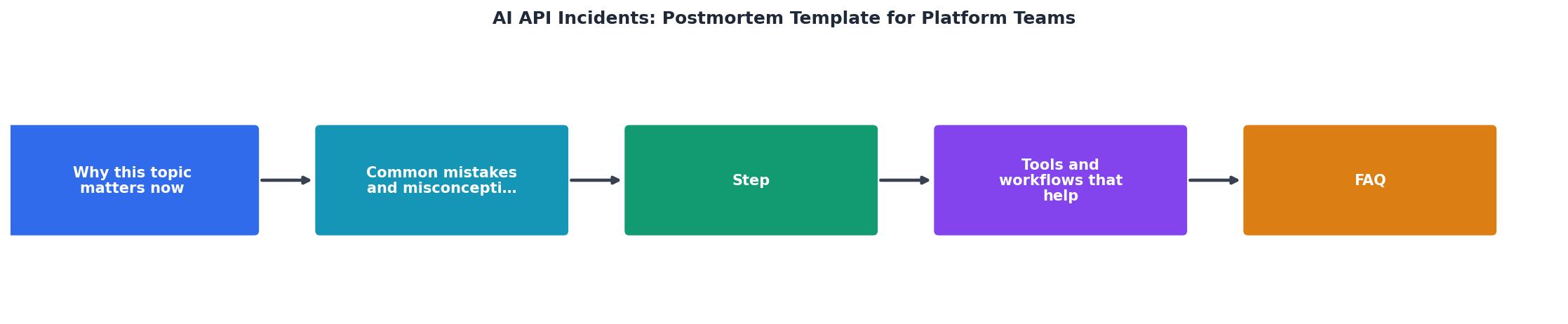
The four pillars of effective incident review: Documentation (precise timelines), Ownership (named action item owners), Execution (completed within deadlines), and Sharing (organization-wide learning).
- Post this template in your team wiki or Slack. Make it the default for every incident.
- Run a training session with your platform and SRE teams. Walk through a mock incident and a completed postmortem example.
- Set up Observinio alerts so your on-call engineer has regional latency breakdowns and baseline comparisons in the alert itself, data that goes straight into your postmortem timeline.
- Track action items. Create a quarterly review where you check completion on postmortem actions and celebrate wins.
Keep your postmortems blameless, your timelines precise, and your action items owned. Your future self, and your users, will thank you.
Additional Resources
- A collection of postmortem templates - This is a collection of postmortem templates derived from various sources such as the Site Reliability Engineering book, The Practice of Cloud System ...
- The Ultimate Post Mortem Template (With Examples ... - Write blameless post-mortems your team will use. Free incident, project, and status-page templates, plus how to track MTTD, MTTR, and SLO breaches.
- How to Write Incident Postmortems [Free ... - Writing postmortem reports is too boring, especially after solving a major incident. Why not let AI do it in 3 seconds? Try Xurrent IMR's AI Postmortem here.